
With a WordPress Facebook plugin, you can integrate Facebook with your blog or website or the other way around. Trust me there are several advantages of doing this and many businesses do it to take optimal advantage of social media marketing!
Facebook have more than 1 billion active users and without a doubt, it is one of the most important social sites to build an online presence on. Users create a personal profile, add other users as friends, and exchange messages, including automatic notifications when they update their profile. Additionally, users may join common-interest user groups, organized by workplace, school or college, or other characteristics. This makes Facebook great for viral marketing in specific niches.
Most serious bloggers and internet marketers are taking Facebook very seriously and treat it as a medium to promote and share stuff with their friends, followers and customers- much like Twitter. Due to the popularity of WordPress it is interesting to have good integration between Facebook and WordPress sites and this is where a WordPress Facebook plugin is useful. In this post, I have gathered some of the best Facebook WordPress plugins that among other things will help you to:
- Synchronize and display comments between the two platforms
- Use WordPress as CMS to generate content for Facebook pages
- Easily add like buttons, widgets etc. to Facebook
- Unlock content and downloads by getting likes from visitors
- and much more…!
This post was just updated with more interesting Facebook plugins for WordPress and removed plugins that are now obsolete.
Disclosure: Please note that some of the links below are affiliate links and I will earn a commission if you purchase through those links (at no extra cost to you). I recommend that you do your own independent research before purchasing any product or service. This article is not a guideline, a recommendation or endorsement of specific products.
[exec]$filestr = file_get_contents(‘http://www.tripwiremagazine.com/googleadsensebelowmoretag.inc’);echo $filestr;[/exec]
Article Index
Premium WordPress Facebook Plugins
Both Facebook and WordPress are dominating platofrms in the markets they serve and it makes perfectly sense to integrate them in various ways. Talented WordPress plugin developers have seen this trend and offer premium solutions to help us make the integration process as simple as possible. Let me know if I missed a good plugin!
Social Locker for WordPress – MORE INFO / DEMO

Social Locker is a set of social buttons and a locker in one bottle. It allows you to lock a part of content on a web page until a user clicks one of the social buttons (Facebook Like, Tweet Button, Google +1) and help you to get more likes/tweets/+1s, traffic and customers!
WP Easy Social Hover – MORE INFO / DEMO
WordPress Plugin – Easy Social Hover allows users to add multiple on hover effects with Social Network Sharing buttons to their images using standard WP media tool. Add Facebook Share, Twitter, Pinterest, LinkedIn and GooglePlus sharing to your Images with a Style!
Facebook Likebox Slider for WordPress – MORE INFO / DEMO

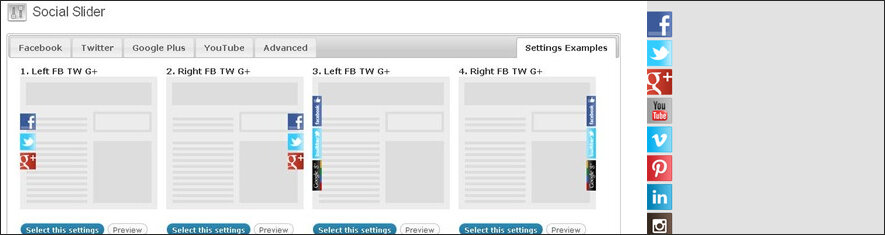
Nice looking slider plugin for Facebook and other social sites.
In Chat – WordPress Plugin for users to chat – MORE INFO / DEMO
This plugin allows your registered users to chat with each other. Online users are detected and shown in different color, making people to know who is online. This plugin do not requires any third party plugins or configurations, hence can be run on any common php & mysql server.
WordPress Social Share Buttons – MORE INFO / DEMO
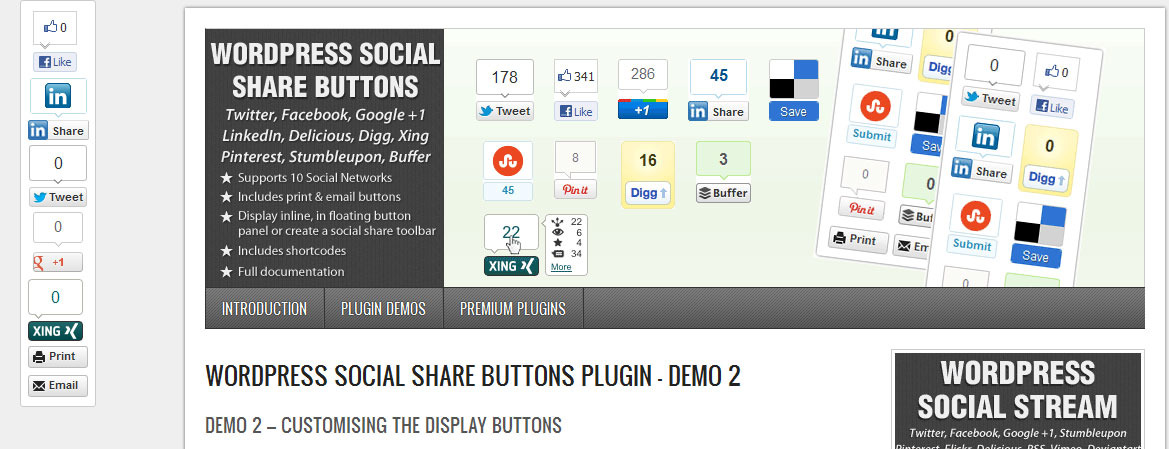
Add jQuery social share buttons to WordPress in a stylish floating panel, toolbar or display inline. Adds buttons via jQuery for faster page loading.
Share Locker – MORE INFO / DEMO
Share Locker is a WordPress plugin that lets you hide a content on a page or a post. If a visitor wants to unlock the content, she needs to click on a social button like Facebook Share, Facebook Like, Twitter, Google+ and VK.com.
Facebook Viral Content Locker for WordPress – MORE INFO / DEMO
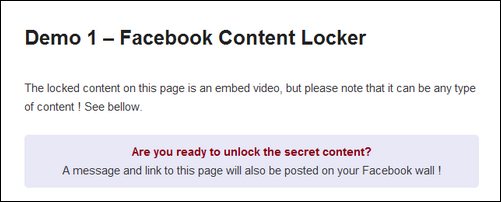
This plugin enables you to lock a content (text, video, images, etc…) inside your WordPress posts or pages, and let your users only access it after connecting with their Facebook account. Your users will need to authorize your app to access your content, and you can define a message that will automatically get posted on your visitors Facebook wall. You also get your visitors emails stored in your database, and you can export your users data as a CSV format from this plugin settings page.
Facebook Plugins, Comments & Dialogs for WordPress – MORE INFO / DEMO

This is a suite of 7 Facebook plugins that can be integrated with one line of code. It’s using WordPress shortcodes to make it very simple to add a Facebook plugin or dialog into any blog post or page. The plugins also comes with 4 widgets ready to be customized + a way to automatically add a Like button and/or the Facebook comment system into all your posts and pages.
Facebook WPress Viral tool for WordPress – MORE INFO / DEMO
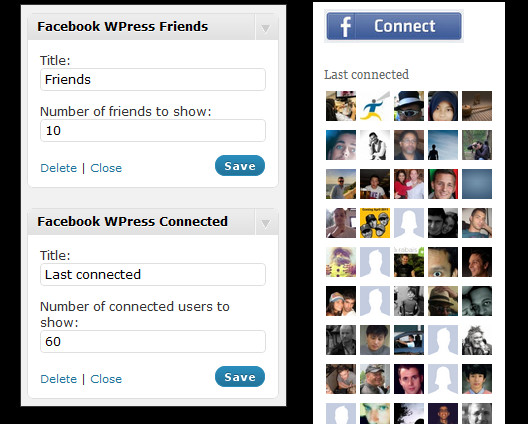 This Facebook plugin for WordPress enables you to add some Facebook functionalities to your WordPress blog or website, including the Facebook connect functionalities (connecting with Facebook, creating a WordPress account using Facebook… ). This plugin also provides a way for blog owners to post updates to their user’s wall, and store their user’s emails for marketing or newsletter uses.
Advanced Social Widget – MORE INFO / DEMO

Advanced Social Widget Adds an advanced widget box to your sidebar giving users the ability to link your site to all the popular Social Networking sites such as Delicious, Twitter, Facebook, StumbleUpon, Pinterest and access to FeedBurner Email Subscription.
Free Facebook Plugins for WordPress
There are certainly free plugins that you can use to integrate Facebook and WordPress. I have collected some of the most useful I know of here, but if I missed a good one I hope you will let me know in a comment.
NextEnd Facebook Connect – MORE INFO / DEMO

Register with just one click using your Facebook account or any Social Media account you have like Google+ and Twitter. Take away the hassle of long registrations and log-ins by using this amazing plugin.
Add Link to Facebook – MORE INFO
Add your WordPress links to Facebook with a custom post using Add Link to Facebook plugin. The plugin allows its user to set up where their links come from and adds these links immediately to Facebook in a customized status template. This plugin also has a PRO version here.
Facebook Members – MORE INFO

Facebook Members is a WordPres Social Plugin that enables Facebook Page owners to attract and gain Likes from their own website. It uses Facebook Like Box.
Custom Facebook Feed – MORE INFO
Custom Facebook Feed is a plugin that imports your Facebook feed and displays them on your site as a feed or turns them into a post. It’s look can be customized to fit your theme’s color and design. Plus, it’s search engine crawlable which is good for boosting SEO rankings.
Facebook Like Box Widget – MORE INFO

Facebook Like Box Widget is a social plugin that enables Facebook Page owners to attract and gain Likes & Recommendation Comments from their own website. The Like Box enables users to: see how many users already like this page, and which of their friends like it too, read recent posts from the page and Like the page with one click, without needing to visit the page.
Facebook AWD SEO Comments – MORE INFO

This plugin merge Facebook Comments with native WordPress Comments System. Need Facebook AWD All in One plugin.
WordPress Wassup Plugin – MORE INFO
WassUp is a WordPress plugin to track your visitors in real time. It has a very readable and fancy admin console to keep tracks of your blog’s users visits.
JanRain RPX – MORE INFO

JanRain RPX WordPress Facebook plugin allows your site to accept logins via various methods, including Facebook Connect, Google, Yahoo, Twitter, MySpaceID, AOL, Windows Live ID and OpenID. After installing this plugin, your users can sign-in and commenting to your blog through these providers and have the providers icons beside the commenters.
Facebook Like Button Plugin – MORE INFO
Facebook Button Plugin allows you to add follow button in the most easiest and flexible way.
Simple Facebook Connect – MORE INFO

A WordPress Facebook plugin that adds Facebook Connect login abilities to your WP blog permitting readers to comment using their Facebook profile. The plugin also allows you to manually publish your blog posts to your FB profile, an FB application, or a Facebook fan page. Other add-ons for this plugin can extend its functionality to import other great features geared toward integrating with Facebook and promoting your website’s content there.
Sharepress – MORE INFO
Sharepress shares your content to Facebook and Twitter accounts. Integrate your Facebook application to start linking your posts to Facebook immediately.
Facebook Share Statistics – MORE INFO

This handy WordPress Facebook plugin provides the administrator with statistics and charts about how many of your site’s posts have been shared on Facebook, how many Likes they’ve accumulated, the number of Facebook comments that were created per post, and how many visits from Facebook each post generated for you.
Gigya Socialize – MORE INFO
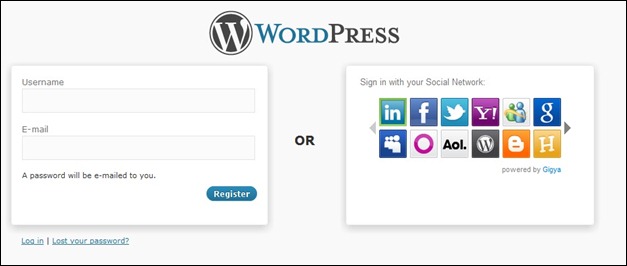
Gigya allows you to authenticate users through Facebook Connect, MySpaceID, Twitter, Google, Yahoo and AOL. Beside this, you can update your social networking sites within your blog and invite your friends to visit your blog through this plugin. Upon activation, just go to Gigya website and get your API and Scret Keys to use this plugin.
– MORE INFO
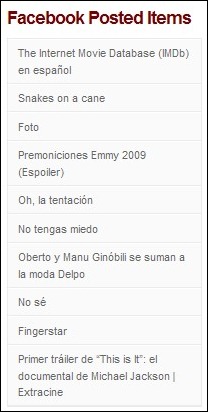
Facebook Posted Items plugin allows you to display posted items from Facebook on your blogs. The fetched post items are in unordered list and you can style them easily. The plugin page shows you how to get the link for your Facebook posted items.

Dustin Betonio is a Translation Management graduate at University of Mindanao. His earlier career was devoted on customer service outside the information highway. Currently studying Law in the same University.



Hi Dustin, I’m Giulio from Italy.
I’ve made a plugin to track top stories based on social interactions on Facebook and Twitter (something similar to Facebook Share Statistics, but more powerfull). My plugin tracks everyday how many likes your posts have, and how many times they are tweeted. These data are used to draw charts, make ranks and determine top stories. If your blog has many authors there’s also a rank to see who is your most powerful author on social networks.
I hope you will like it!
http://codecanyon.net/item/top-social-stories-plugin-and-widget/5888553
Hai
This is the best plugin list ever. Thanks for te answers. I used Simple Facebook Connect
Greets Martina vd Streek
You mention in your article:
Use WordPress as CMS to generate content for Facebook pages
but after reading through I didn’t see which plug-in actually does this. I’m using a template with custom fields, and would like to automatically create a FB post with CMS data.
Thanks for such a comprehensive article and thank you in advance for your reply.
Best Regards,
Ann
Thanks for your question Ann, There are multiple options for this. First plugin in the list allow you to add content from WordPress to your Facebook page. The second plugin offer various integration options including push of content from WP into posts in FB. In the free plugin section you should check out Simple Facebook Connect that also allow push.
So glad to find this! I’m especially interested in the advanced social widget plugin. I see that it’s customizable for different email marketing services. Thanks for the great roundup.
Lisa
Hi Lisa,
Glad you found this list useful 🙂
Kind regards,
Sofie
The WP4FB WordPress Facebook Plugin is a great tool. Nice selection generally especially for the paid plugins.
Hi there! Would you mind if I share your blog
with my facebook group? There’s a lot of people that I think would really appreciate your content. Please let me know. Many thanks
Desperately searching a good registration plugin that allows my users to create a password (instead of emailing it) and allows Facebook users to log in with one click. Looked at 20+ plugins and none worked for me.
Nice!!! And how to get notification after a comment posted in?
Thanks for finally writing about > 45+ Useful WordPress Facebook Plugins – Integrate WordPress and Facebook!
< Liked it!
Heya cool plugin list.
Social Gallery is a plugin that I like to class as a Facebook plugin, it displays your websites images in a “social lightbox” with full integration to facebook etc.
http://www.socialgalleryplugin.com/
FWIW, the easiest way to integrate wordpress and facebook is to use the free version of dlvr.it. Takes less than a minute to set up, works flawlessly.
i there any login with facebook plugin that’s short code work with php code i want to add login with facebook button in my splash screen …
A lots of useful information, thanks. Btw: There is also a tool called FeedWordpress, this tool imports sticky posts with simple data from you facebook page into your WordPress Blog. You only need to insert the RSS from your Facebook page.
Post planner is awesome but its a paid one. The rest is really great
An Intelligently complied list of WordPress Facebook plugins. However, I would like one more plugin that does the job quite well. Its the Jetpack provided by WordPress. Its a wonderful plugin to share your content over Facebook and other social media network.
Facebook social plugin caused 8 Errors while validating… Anyone know a better solutions that looks close to the same way as the widget…?
[…] Facebook also matters and integrating them with your website is crucial. There are tons of useful plugins for WordPress to integrate your site with e.g. […]
Guys, since you are obviously moderating comments here why don’t you take a minute and weed out all the backlink BS?
thanks for this article, will try these plugins out on my wordpress site besthideipsoftware.com
I tried with Facebook Members, its free and easy!
There are 40 plugins are available in this blog but i like Facebook Likebox Slider because Facebook Likebox Slider is a flexible plugin with Facebook faces, stream and header. Very easy to install and configure with nice design.
Facebook Viral Content Locker is quit obsolete, you may find another plugin WP viral locker. it’s more advanced.
very nice list of plugins!
Thnks was looking for these kinds of plugins
Excellent Facebook plugins..
Thanks for the list.
I think you’ve forgotten Facebook’s official plugin which includes pretty much everything. http://wordpress.org/extend/plugins/facebook/
It’s the best FB plugin I’ve used so far.
Thank you for adding that Plugin to the list.
Kind regards,
Sofie
After spending two confusing days on the fan page connect plugin, this is fresh air. Have found a few possibilities for replacing this fiasco plugin and getting on with my life. Thanks.
Has anyone noticed an improvement in comment activity or traffic related to FB comments vs native or Disqus comments?
very nice collection of fb plugins, thanks for share!
can we use cutom color for likebox facebook plugin? I just see dark and light color..
Your post is cool.
I’m having a problem auto directing my blog post to facebook. Need a plugin for that.
Thanks for great post. I like Content Locker Plugin.
Thanks for the list. I take one.
useful stuff …
i was looking for that ..
thnx for the info
[…] other purposes. A common use is to ask for likes or tweet before a file can be downloaded. Using a WordPress Facebook Plugin may give you this […]
It’s been very useful for my website!
Thanks.
thanks for this great article.I was searching in google from the
last couple of days about facebook plugins.But unfortunately i
din’t find any great way.But now my journey comes to an end.Thanks
a lot for your great and informative article.If you post some more
interested articles like this in future.Please suggest me.
I will surely gonna read it
Nali
Thanks for your feedback Nali, glad it helped you out!
great thx you !
Just wish to say your article is as astounding. The clarity in your post is simply excellent and that i can assume you are a professional in this subject. Fine along with your permission let me to seize your RSS feed to keep updated with drawing close post. Thank you a million and please carry on the gratifying work.
thanks and nice post sir…..
thanks for the facebook likebox by icrunch. installed it and worked like a charm
thanks for that list, very helpful
Thank you..nice article 🙂
Which one of these plugins lets you suggest what someone should post on their wall?
eg if someone subscribes to something or buys something – I would like a plugin that says “check this out…” or “I’ve just brought….” or whatever the marketing message is.
Which plugin is best for that application?
This web site definitely has all of the information
and facts I wanted concerning this subject and didn’t know who to
ask.
thank you so much for this great informative article..
Greeting! They are really awesome ones .. Thanks =)
This extension is very cool… it’s actually make peace between Google and Facebook and enable us to search at Google directly from facebook search box:
https://chrome.google.com/webstore/detail/lheplhmgjfbljpocjpdfkjonbkapepim
Such a robust collection.. didn’t know about many of them.
Yah it is quite amazing how many WP Plugins JUST for Facebook is out there… I hope you liked the article 🙂
Best regards,
Sofie
Thank you for great information and good stuff.
I will be back for reading your content again. Thank you for great information and good stuff.