

With literally thousands of plugins available, finding the best WordPress plugins for your website can be hard and time-consuming!
This comprehensive collection of high quality WordPress plugins will make your life easier and help you build a professional online presence.
WordPress is certainly one of the most feature rich and user-friendly publishing platforms available today. It is extremely popular and webmasters love it because of its openness and extensibility and its huge and active open source community.
Websites all over the world are created using WordPress – from serious high traffic commercial websites to small personal blogs. This massive popularity and the growing demand for new functionality and features, has grown a large market for professional, high quality premium themes and plugins of nearly any kind.
WordPress originally gained a position in the market by being an open source and entirely free platform. I believe, however, that the many serious premium offerings available today is making WordPress an even stronger choice. Some of the top web developers have picked WordPress as an income stream and they deliver some of the best WordPress plugins. In most cases they sell them for a remarkably small fee. Further, they often back them up with proper support and timely updates. Keep in mind that, even though free plugin developers sometimes offer support, their service is typically, depending on how busy they are.
We all know how time-consuming and expensive it can be to implement the perfect website or blog. Therefore, it is critical to make sure that any software we use is kept up to date and that it is well supported.
In this post, I am showcasing some of the best WordPress plugins. I hope you will enjoy this tour.
Disclosure: Please note that some of the links below are affiliate links and I will earn a commission if you purchase through those links (at no extra cost to you). I recommend that you do your own independent research before purchasing any product or service. This article is not a guideline, a recommendation or endorsement of specific products.
Article Index – navigate quickly
Premium Best WordPress Plugins
Slider Revolution Responsive WordPress Plugin
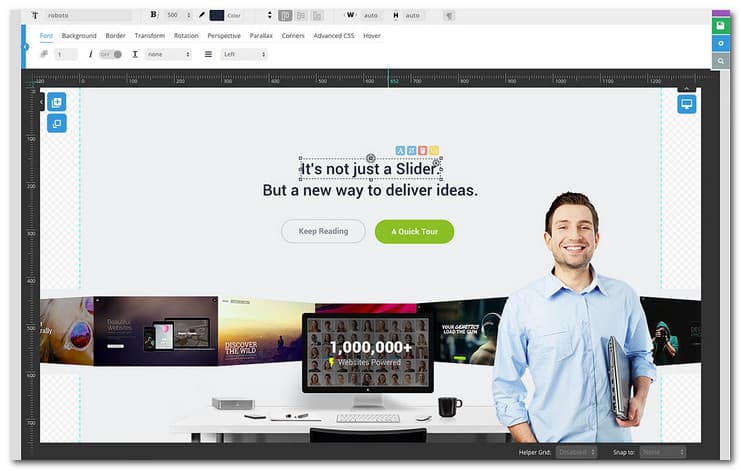
If you like to build a full width or mobile friendly slider with great animation effects, this is the plugin of choice. You can customize the slider with its useful drag and drop feature easily and quickly. This plugin has tons of useful features such as image preloader, autoplay that has the ability to stop with user interaction, video embedding, unique transition effects and other user friendly options.
EventOn – WordPress Event Calendar Plugin – MORE INFO

EventON is a very popular event calendar plugin for WordPress with an amazing design. It is developed in minimal user interface design yet packed with powerful features.
Hide My WP – No One Can Know You Use WordPress! – MORE INFO
If you hate hackers, Check this out! This plugins is one of the best WordPress plugins for protecting you website. The plugin will let you control PHP files access. It will protect your website from almost all XSS and SQL Injection attacks, which means that you no longer have to worry about security very much.
WooCommerce Amazon Affiliates – WordPress Plugin – MORE INFO

This is a great plugin, saves a lot of time on importing products. Superb customer service. It allows you to advertise Amazon products on your Woocommerce website and earn advertising fees from qualifying purchases. You can also receive advertising fees from all products your visitors buy, visit, not just the products you advertise thanks to the 90 days cookie feature. Also, the On Site Cart feature allows your customers to checkout with multiple products on Amazon, and that means multiple commissions for you!
UberMenu – Top Megamenu – MORE INFO
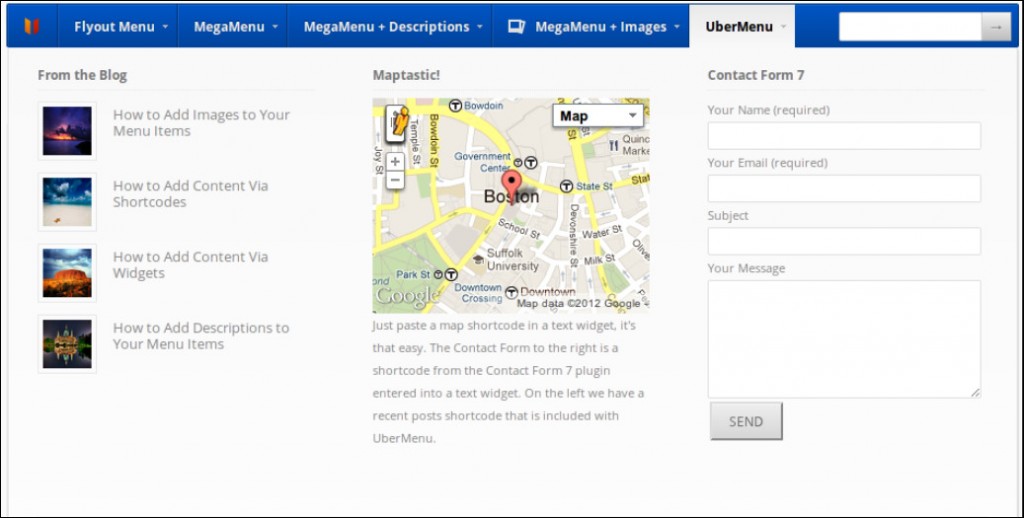
UberMenu is a real superstar and without doubt among the top WordPress plugins. It will allow you to create user friendly mega menus with ease. It is highly customizable. UberMenu works right out of the box and is considered as one of the best WordPress plugins out there.
Ninja Popups – WordPress Plugin For More Leads – MORE INFO

This is one of the top WordPress plugins if you want to build a list of email subscribers. It combines professionally designed popups that encourage visitors to take action. This include discounts and coupons offering to leaving visitors, newsletter subscription or locking of content unless the visitor share them.
Essential Grid WordPress Plugin – MORE INFO

Essential Grid is a powerful plugin for WordPress. It allows you to display various content formats in a highly customizable grids. The possibilaties are endless ranging from portfolios, blogs, galleries, WooCommerce shops, price tables, services, product sliders, testimonials and anything else you can imagine.
Quform – WordPress Form Builder – MORE INFO
If you are requiring custom forms and a WordPress user but do not have the knowledge or time for codes, Quform is the perfect tool for you. This plugin will allow you to create multiple forms quickly and easily in WordPress with complete control.
Visual Composer – Shortcode Plugin – MORE INFO
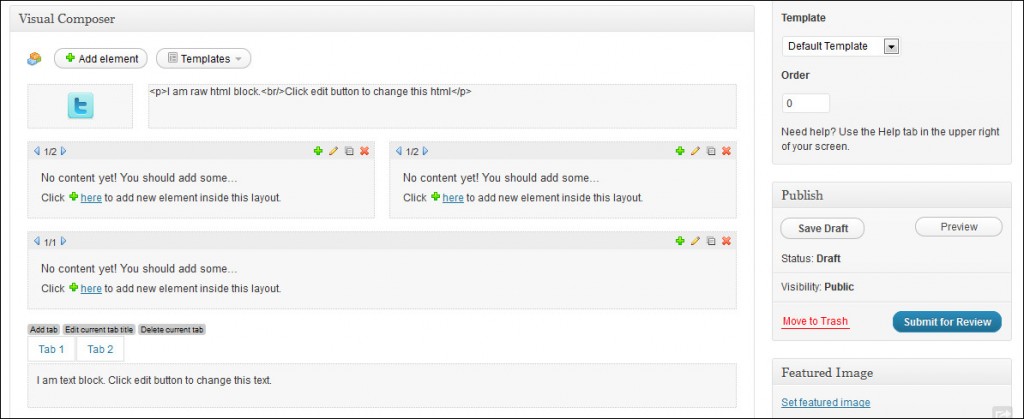
Visual Composer is one of the best WordPress plugins that will save you plenty of time on working with your content. With Visual Composer, you can create complex layouts in minutes.
WordPress Social Stream – MORE INFO
If you like to combine every social network interaction that you have into one network stream, this is the plugin for the job. You may also use it to make a single feed for a number of social network profiles.
Ultimate Membership Pro WordPress Plugin – MORE INFO
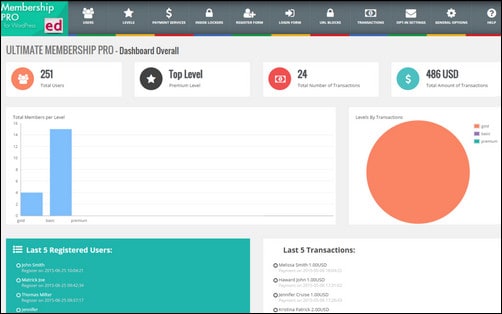
Ultimate Membership Pro is a powerful Membership WordPress Plugin that allow you to create and work with multi-level exclusive access for your users based on simple Free packages or Payed packages. With this plugin you can easily turn on your Website into a income supply by protecting your valuable content or only part of it. Protect your: Pages, Products, Categories, any URL, Content Sections, Images,Menu, anything and set a Redirect or Replace Content Rule.
Booking System PRO (WordPress Plugin) – MORE INFO

Booking System PRO is one of the best WordPress plugins for creating bookings and reservation systems easily into a WordPress powered blog or website.
MyMail – Email Newsletter Plugin for WordPress – MORE INFO
This is a feature rich but simple WordPress newsletter plugin that is a powerful solution for creating sending and tracking of newsletter campaigns.
FormCraft – Premium WordPress Form Builder – MORE INFO
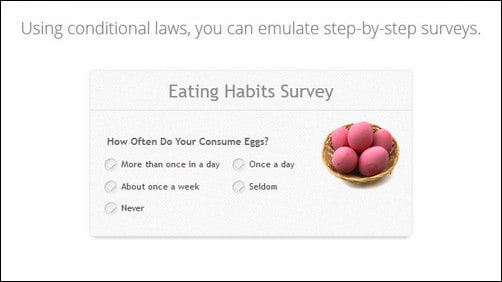
FormCraft is among the best WordPress plugins. It will help you build engaging web forms for your website. You can easily build and customize the responsive forms with amazing fields and retina ready images. On top of that you will be able you get form statistics right from your WP-Dashboard.
UberGrid – Responsive Grid Builder – MORE INFO

This is a responsive and powerful grid/gallery builder created for WordPress. With UberGrid, you can impress your users with stylish grids, which you can create in minutes.
Final Tiles Gallery for WordPress – MORE INFO
With the Final Tiles Gallery plugin, you will get the perfect tool for creating interesting portfolios and photo galleries online. It is responsive and it comes with lots of useful features.
Logos Showcase – Multi-Use Responsive WP Plugin – MORE INFO
This plugin will allow you to display images in a carousel slider or grid. It is in the group of best WordPress plugins for displaying lists of partners, sponsor logos, supporters and clients in your WordPress powered site.
Go – Responsive Pricing & Compare Tables for WP – MORE INFO
This is a responsive plugin that will allow you to create beautiful tables quickly and easily, and incorporate them into your WordPress powered website.
uSquare – Universal responsive grid for WordPress – MORE INFO

uSquare is a responsive grid plugin for WordPress. It is one of the best WordPress plugins for creating a responsive squared grid that can be used for displaying content in an interesting and unique manner.
CSS3 Responsive Web Pricing Tables – MORE INFO
This is actually a pure CSS 3 Web Pricing Table Grid set designed for WordPress that has 12 predetermined color versions and a couple of table styles.
ROYALSLIDER – MORE INFO

This is jQuery content slider that is cross device capable and incorporated with fluid layout and touch base navigation.
Frontend Builder – WordPress Content Assembler – MORE INFO
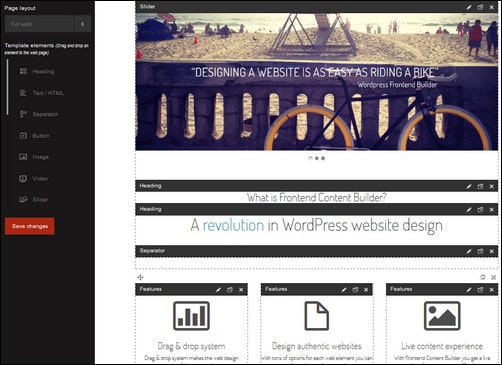
This highly useful WordPress plugin is one of the best WordPress plugins for creating custom pages. It will help you design your own website pages by using a simple drag and drop system. It is easy to get started and you don’t need coding skills. You can even customize the elements with intuitive sidebar options.
Gravity Forms WP Plugin – MORE INFO

Create and publish WordPress forms in a matter of minutes. You can do form building easy and quickly, select the fields, configure options and embed forms in your WordPress site fast with built in tools.
Sidebar & Widget Manager for WordPress – MORE INFO
This is a premium plugin for WordPress that will let you have complete control over the widget areas, page contents and the widgets themselves. If you will widgetize your page, you could drag and drop the widgets in the page content area using horizontal and vertical alignment.
Interactive World Maps – MORE INFO
This WordPress plugin will allow you to create as much maps as you like using colored and interactive markers, regions or countries.
Justified Image Grid – Premium WordPress Gallery – MORE INFO
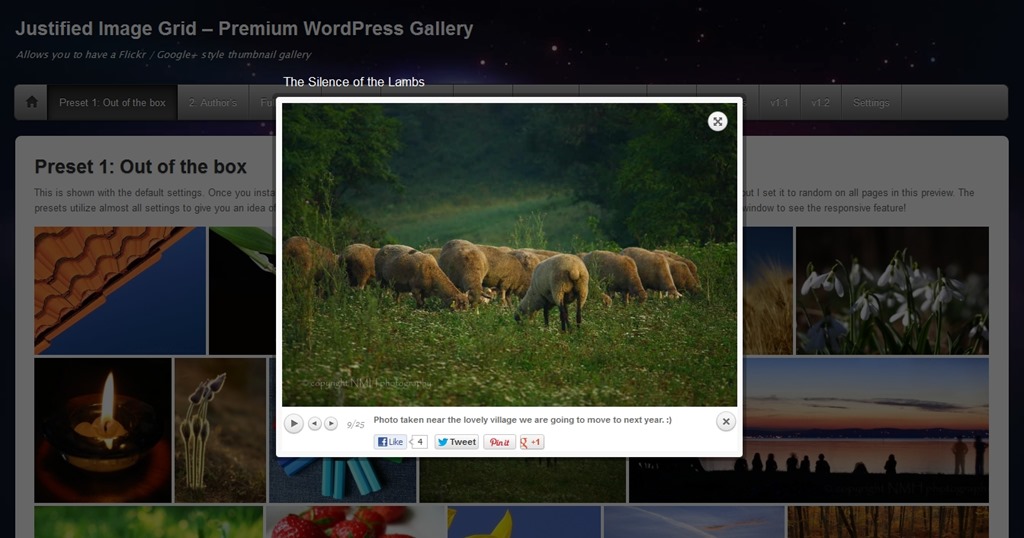
This is a jQuery plugin that will allow alignment of thumbnails into justified and responsive grid. Justified Image Grid behaves like Google+ and Flickr featured images.
Global Gallery – WordPress Responsive Gallery – MORE INFO
Global Gallery plugin will allow you to create galleries that are full responsive easily and quickly. There are 3 gallery layouts to choose from as well as 4 lightboxes that can be used right away and designed to be seen on every device.
The Countdown Pro – MORE INFO
You can add countdown functionality easily into a sidebar or content area using this plugin. With its up and down counting function, you can have complete control over your counter.
Special Recent Posts PRO – MORE INFO

This is a very powerful widget and best plugin for WordPress that displays recent posts in thumbnails. It is the ideal solution if you have a simple blog or online magazine.
Security Ninja – MORE INFO
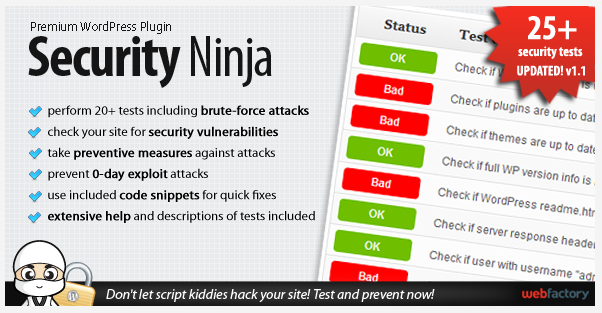
Security Ninja is one of the best WordPress plugins that combines the best security practices in the industry.
Magic Members – Plugin WordPress – MORE INFO
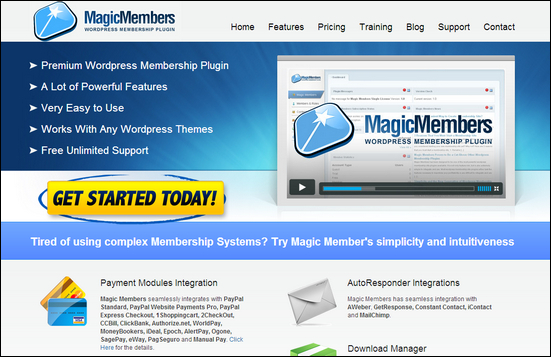
This is a premium membership plugin for WordPress that will allow you to create closed websites that are only accessible to paying members. It provides plenty of great features that will totally customize your WordPress site and turn it into premium professional content only members.
Styles with Shortcodes for WordPress – MORE INFO

If you are looking for an excellent WordPress theme but lacks some custom styling for some elements, this plugin is perfect. It is also useful if you do not know JavaScript, CSS or PHP. This plugins lets you customize content faster and easier than ever before by using Shortcodes. Choose from 100 built in Shortcodes.
LayerSlider – MORE INFO
This is the LayerSlider plugin for WordPress. It will allow you to create multiple layers and sub layers using unlimited number of images with links.
Media Grid – WordPress Responsive Portfolio – MORE INFO
Media Grid plugin will allow you to build unlimited filterable and responsive portfolios easily. It utilizes jQuery/CSS3 technologies to adapt the portfolios to their containers.
Fanciest Author Box – MORE INFO

Fanciest Author Box is an author bio plugin that is rich in features. It adds the author bio before, after or both automatically into pages, custom post types and posts.
SLIDER PRO – WordPress Slider Plugin – MORE INFO

SLIDER PRO is a quite powerful plugin for WordPress. It provides more than a hundred customizable properties and possible transition effects as well as 10+ skins and other useful features.
Calendarize it for WordPress – MORE INF
Calendarize is a an event and calendar plugin that is full of features and targets a wide variety of audience.
WordPress Pro Event Calendar – MORE INFO
WordPress Pro Event Calendar is a calendar plugin that will allow you to add a sleek and professional calendar to your pages and posts. It is entirely responsive and can be used within a widget.
Video Gallery WordPress Plugin – MORE INFO
Video Gallery plugin is probably one of the best WordPress plugins for creating a video gallery. Now it is one of the best plugins for WordPress.
VidEmbed – MORE INFO

VidEmbed is a powerful solution that is also simple to use for incorporating inline videos within WordPress pages, widget areas and posts. It has support for Vimeo, YouTube and self-hosted videos.
WP Business Directory – MORE INFO
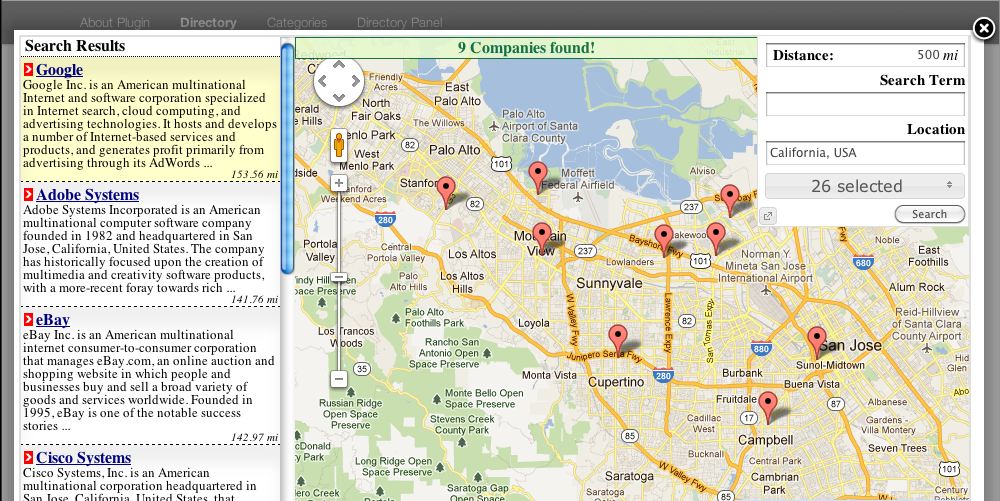
WP Business Directory plugin for WordPress will allow you to add incorporate a business directory to your WP website. The plugin comes with plenty of features and is very easy to use.
Elegant themes Drag & Drop Plugin – MORE INFO
If you are structuring your page content, this plugin could be an incredible tool for you. It helps create visual drag & drop canvas that will allow you to arrange, resize and add advanced page elements. This builder can be seen below your normal text editor if you are creating a page or post, generating a distinctive canvas for each.
Vaultpress – MORE INFO
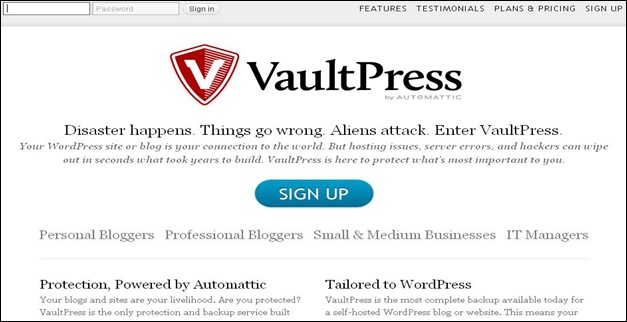
Vaultpress is a premium backup service created for WordPress. It backups the theme files, plugins and database of your blog and save real time multiple revisions. This will allow you to revert back to your preferred copy anytime.
Best Free WordPress Plugins
Jetpack – MORE INFO
Jetpack is probably one of the best WordPress plugins for free. It is a whole package of plugins that will improve the features of your WordPress site. Here are some of its features: Site Stats without additional load on the server, spelling and grammar check, mobile theme, sharing, backup and much more.
Edit Flow Publish Calendar – MORE INFO
This is one of the top WordPress plugins for managing posts and publishing via a WordPress calendar. Aside from a useful calendar, it provides editorial comments, post statuses and other features, making it a lot easier to collaborate inside WordPress.
WordPress SEO by Yoast – MORE INFO
WordPress SEO by Yoast is a favorite SEO plugin among WordPress users. It is designed as an all in one plugin with different awesome features. This includes snippet preview, page SEO analysis, meta description and image titles.
Akismet Anti Spam – MORE INFO
Akismet could be among the best free plugins for WordPress. It provides protection from all online intruders and investigates comments against their web service to determine spams.
W3 Total Cache – MORE INFO
W3 Total Cache is one of the best WordPress plugins for improving user experience. It improves your website by boosting server performance and reducing download time. It also provides transparent CDN or content delivery network integration.
Redirection – MORE INFO
This is one of the best free WordPress plugins and it is a vital tool for SEO. It helps manage record errors, redirections and tie up possible loose ends in webpages.
Better WP Security – MORE INFO
Better WP Security took the best security features and techniques of WordPress and combined them in one plugin. This ensured that as much security issues are solved without worrying about conflicting features or possible missing features in your website.
Advanced Custom Fields – MORE INFO
This plugin is the perfect solution for all WordPress sites that contain a lot of flexible data such as other CMS’s.
Really Simple CAPTCHA – MORE INFO
Really Simple CAPTCHA is a plugin that was designed to be compatible with other plugins. It was created originally for Contact Form 7 but can be used with your selected plugin.
Google Analytics for WordPress – MORE INFO
Google Analytics for WordPress is one of the top WordPress plugins that will allow you to keep track of your WordPress powered site easily with plenty of metadata.
BackWPup – MORE INFO
With this plugin, you can use the backup files to save your entire installation, which include WP-Content. It pushes them to an outside backup service, if you choose not to save your backup files in one server. You can restore your installation with one backup.zip file.
Contact Form 7 – MORE INFO
You may require a contact form if you are creating a website. For that, the best free and most suitable plugin is Contact Form 7. It is so easy to use and can deal with dozens of numerous contact forms.
Google XML Sitemaps – MORE INFO
This is among the best WordPress plugins that generates a special XML sitemap that helps search engines in indexing your blog. It helps your site get indexed by large search engines such as Google, Ask.com, Bing and Yahoo.
Pretty Link Lite – MORE INFO
If you are doing online marketing, link shortening and tracking is important. This plugin will help you do such tasks by utilizing your domain name. It also keeps track of URL hits and provides a complete report on the origin of the hits.
Broken Link Checker – MORE INFO
A broken link occurs sometimes and when it does, it is very difficult to find them. Fortunately, there is Broken link Checker. Checking for broken links is so easy with this plugin that you only have to install and activate it and it will do its work on its own.
Admin Menu Tree Page View – MORE INFO
Admin Menu Tree Page View plugin will add every page that you have to admin menu, allowing them to be available with one click, wherever you are in your admin area.
CMS Tree Page View – MORE INFO
This plugin will add a tree like CMS custom posts and pages overview to your WordPress site, similar to the view that can usually be seen in page focused CMS’s. Inside the tree, you can edit, view, add and search pages and then drag and drop them to rearrange your page order.
Let’s talk about WordPress Plugins
This is my list of hand-picked Best WordPress Plugins – please share your opinion! What are your favourite plugins? Do you use any of these plugins? How many plugins have you installed and do you plan on using new plugins? If you should recommend the best WordPress plugin – what would you emphasize?
Author : Alex Naz
 [exec]the_author_description();[/exec]

Alex Naz is a professional writer with a proven track record. He is a creative blogger who is passionate about web design, SEO and web development. He is also a family man and has a passion for the outdoors.



Thanks for sharing this in here. You are running a great blog, keep up this good work.
Will have to implement one of these on our site.
Amazing Round up !!
Crazy list indeed! I am so tempted to try ARMember wordpress membership. Really seem to be very good and can’t wait!
Whoa!
Crazy list indeed! I am so tempted to try ninja pop up. Really seem to be very good and can’t wait!
Thanks for sharing!
~Reginald
Great list! What about this plugin – http://wordpress.org/plugins/dynamic-featured-image/
Great jobs ! Thanks for this amazing list !
Having the best wordpress gallery plugin will help you get all the essential help that you need to use your blog site the way it has to be. I couldn’t agree more that the plugins you mentioned here are important for every blogger.
Planning to have ninja popups on my blog, but thinking about some alternatives for popups, finally decided to create our own plugin with our required customization.
How does contact form 7 a free plugin compares to gravity forms? Also any helpdesk plugins with live chat integrated?
Well, really useful collection for WP users. I once use some of those free plugins and still using now. Also, like some smart plugin concept … thank you!
You are welcome
Kind regards,
Sofie
Thanks for these amazing plugins. I think W3 Total Cache in really necessary for every wordpress user..
Glad you liked the post – and thank you for the feedback 🙂
Thanks a lots for sharing this essential plugins, Amazing List!
i have been using some of them. Thanks author 🙂
Incredible, i am going to use a few of these plugins for my re-design on the evolve site.
Thanks
Great to hear that you found the article useful 🙂
The list of plugins is very helpful for me, basically i am new to blogging that is way it is very important for me to install right plugins on my blog..Thanks
Hi Harry
Thanks for giving us feedback. What plugins did you decide to use?
Kind regards
Anders
Do you a Good plugin for “Read more” button?
Hi Mario
You can use a shortcode plugin for this. E.g. this one: http://codecanyon.net/item/vision-wordpress-shortcodes-plugin/3372371 – check out their demo video – they show how easy it is to add a button.
Kind regards
Anders
Thanks for putting this list together, we’re in the process of migrating over to WordPress from Hubspot so this list is timely. We’ll be spending time scouring over it and determining what we want to implement both for users and for tracking.
There may be one listed, but what do you recommend for a live chat plugin?
Tab
Hi Tab
Thanks for your comment. I hope you will be satisfied with WordPress as your new CMS.
It’s a good question regarding what Chat Plugin you should use. I think it depends on what features you need. This plugin is quite interesting. It has a pop-up feature and it allows you to chat with visitors and Facebook fans using your smartphone. http://wordpress.org/plugins/flexytalk-widget/
But there’s a lots of good options. Check this article for more information: http://www.tripwiremagazine.com/2013/04/great-wordpress-chat-plugins.html
Kind regards
Anders
Thanks for featuring my plugin, Retina Press 🙂
Hi Lee
Your welcome. Thanks for doing a great job!
Kind regards
Anders
Nice list 🙂 I used wordpress events calendar and video gallery. Now I’m using only slider pro from your list. For seo, I like to use all in one seo and squirrly seo. Maybe they are paid, but at least I have customer support when I need it, and that’s awesome 🙂
Hi Andreea
Thanks for giving us insights about what plugins your prefer. I agree with you regarding the premium support. It is nice to have a solid way of getting help 🙂 However, I use several free plugins and I love them.
Kind regards
Anders
Thank you for a great (and very extensive) list! Big fan of HTML5 video player, it has really enhanced my UGC oriented blog. Unfortunately trying to be to engaging on my blog by enable all kinds of content has made me vulnerable to attacks such as XSS a few times. I’ve tried SmartFilter, its been effective so far, but let me know if anyone has any recommendations!
If you are interested: http://wordpress.org/plugins/smartfilter/
Cheers!
Hi Elliot
Thanks for sharing this interesting plugin. I didn’t know about it 🙂 If this is a solid way of blocking attacks from hackers…I already like it!
Kind regards
Anders
Hi Anders,
Awesome list of plugins you have compiled here. I have tried a lot of them and most are very well-designed and coded. I especially like the look of WordPress Events Calendar and the Broken Link Checker plugin seems interesting.
Thanks again and all the best!!!
Regards,
Damian
CSS JS Toolbox
Hi Damian
Your welcome. Let me know if you have good experience from using the plugins 🙂
Kind regards
Anders
Incredible, i am going to use a few of these plugins for my re-design on the evolve site.
Thanks
Carter
Thanks for listing them out, i have used some of them and truly they are among the best WordPress plugins…..nice share
Hi Wilson – thank you for your feedback. I’m glad you agree that these plugins are great 🙂
Kind regards,
Sofie
Great job in listing all the plugins.Thanks for the great help.
this is one huge list, definitely adding some to my blog
Wow, Nice article you have really shared a nice list of plugins with us. I am new to wordpress and I am looking for some useful plugins for my site. This will help me. Thanks
I have been looking this kind of wordpress plugins. Great collection of wordpress plugins. Thanks for share.
Nice list, I used several of these when developing my Fantasy Football Podcast website. Especially enjoyed finding the “like” to download plugin which I used immediately.
You can add the best commenting for free, check out: wordpress.org/extend/plugins/barc-chat
Hi Grant
Interesting chat free plugin for establishing a community. Thanks for sharing!
I see that Gravity Forms is in the list, which undoubtedly has a good reputation. Personally – for a huge amount of functionality – and best of all, wonderful customer service, I’d like to recommend Formidable Pro. I’m not a spammer from Formidable – just a happy customer who is still afraid that they will suddenly introduce a new fee. Best value pro plugin ever, for me.
Hi Melanie
Thanks for sharing. It is a nice plugin and they have a free version, as well.
Kind regards
Anders
SEO by yoast is a great to work with but according to me it is not very user friendly with those who are not good with the plugin. I find All in One SEO pack a better option as it gives me an option to write custom description and provide keywords for the post.
Hi Vaibhav
Thanks for sharing your thoughts – I use SEO by Yoast and I think it is quite simple to use 🙂
Kind regards
Anders
This is really awesome list. ( mymail is really good )
What you guys say about this plugin called as Dynamic Website Compressor , it compress your WordPress source code on the fly. Minify HTML also compatgable with other scripts too
Another one you might like to consider for your next version of this list is Pubble. It’s a Q&A platform that allows any site to publish a Q&A Platform.
http://wordpress.org/extend/plugins/pubble-social-qa/
Just starting my blogging endeavour and there’s a few gems in this list I never would have known about, cheers!
Great collection. Doesn’t saw any Login Page Customization plugin.
I think Erident Custom Login and Dashboard plugin is very good for complete customization.
I think the plugin “WP slider plugin” http://wordpress.org/extend/plugins/simple-slider-ssp/ also deserves to be in the list. Dustin, Please checkout the plugin.
Fabulous list. Is there a font or style plugin that you recommend that doesn’t charge for a license? I’m just setting up my WordPress Blog.
Hi Suzi
Good luck building your new website. Check out this plugin: http://wordpress.org/plugins/font/
Kind regards
Anders
I like PopUp Ninja WordPress plugin because It is Extremely easy to use and configure. Just in few click it is ready to use and Supports video on the PopUp and redirect users after they subscriber to your opt-in form.
A bit overwhelming, but so good. Thanks!
Amazing list!!! Thanks so much!
Thanx for this megalist 😉
Your rock. Thanks for all the effort, so time saving for me.
Thanks sue 😉
This is a really extensive list and I really appreciate all the effort that has gone into compiling it. My all time favourite would have to be Gravity Forms. Outstanding quality!!!
This is the best post for the plugins actully i am new in facebook and and able to see many things in this page so this is a helping page for my website also .
Seo yost is the best tool i can say becoz its easy. And the main problem which comes to evry website builder is the menu options and you had gave many things for the menu.
Thanks For the information about the wordpress plugins.
Regards : Rahidka
Thanks for the best wordpress plugins, i have been using some of them and i hope after seeing your post i can add some more. but actually i came here in search of finding plugin for database security or something like database backup. but i couldn’t find it on the list.
any chance there are some ideas on a plugin or a theme for photo gallery with map integration and advanced search options ?
Ive got a photo gallery which I want to show beside the photo where it was taken on a map and also peopel can comment on the photo,
Great list and a few plugins I never heard of. Yoast gets my vote for SEO . Ninja Popups look cool. Interactive world maps looks like fun. A whole bunch of plugins to explore. Thanks
Don’t forget a translation plugin to drive more traffic to your site!
Translate This Blog Translator
To install the plugin, WordPress owners can go to the Plugin page directly at: http://wordpress.org/extend/plugins/translate-this-blog-translator/ or search for ‘Translate This Blog Translator’ under the Plugins menu on your Dashboard.
Nice list Dustin! Almost exhaustive!
Many plugins of that list I’ve never heard before. Thank you for sharing with us!
I would have added 2 plugins I find handy: Share This and Advanced Blog Metrics
Thanks again!
Awesome list, uSquare and Gravity Forms are my favorites, I think.
Thanks!