
WordPress widget plugins are heavily used in WordPress websites.
Like shortcode plugins they are used to add features and content in a flexible way without any need for coding. Most blog themes for WordPress have fixed widget locations and features for adding lists of posts and categories in the sidebar. While this is OK in most cases more power is sometimes required to build a unique and eye catching website.
Just ask yourself, have you ever wanted to show different widgets on specific pages or posts or even inside your content? Alternatively, have you considered to add tabs to you theme but not sure how to do it? If not the need will come once you realize how powerful the right WordPress widgets can be!
The solution for injecting more flexibility and power into your WordPress website is to use plugins that are specifically designed to help you add and move around widget areas and control what widgets to display and when. Then you need to find some cool widget plugins to add the feature and content you need.
I have collected a bunch of the best WordPress widget plugins I know. I am fully aware that there is a lot more out there and I may have missed a few good ones. Please let me know if I did and I will consider adding them.
Disclosure: Please note that some of the links below are affiliate links and I will earn a commission if you purchase through those links (at no extra cost to you). I recommend that you do your own independent research before purchasing any product or service. This article is not a guideline, a recommendation or endorsement of specific products.
[exec]$filestr = file_get_contents(‘http://www.tripwiremagazine.com/googleadsensebelowmoretag.inc’);echo $filestr;[/exec]
WordPress Widget and Sidebar Managers
Custom WordPress Sidebar Plugin – MORE INFO

With Custom WordPress Sidebar Plugin you can replace any sidebar and widget area in your theme without diving into the code. You can even replace multiple sidebars on the same page.
Sidebar & Widget Manager for WordPress – MORE INFO

This WordPress widget plugin not only allow you to control what widget will be shown on what pages, posts, categories it also have a shortcode system that allows you to build up unique page layouts using widgets. Check out the videos and see for yourself how cool this plugins is.
Widgets Controller – MORE INFO

Widgets Controller is a free plugin and it offers an easy way to control where the widgets are displayed on your website. When adding a new widget you can simply select where it is going to be visible.
WordPress Widget Ninja – MORE INFO

Widget Ninja is used to control widget visibility based on conditional tags. It eliminates the need for multiple sidebars because you can configure each widget to ie. be visible only on the front page or only in certain categories. With 23 conditional tags (8 can take additional parameters such as post or category ID’s) and 3 logical statements (or, and, not) you can configure a widget to (not) show upon literally any page! It doesn’t matter if it’s a single page, archive, search page or 404 – there’s a conditional tag for everything!
Custom WordPress Widget Areas – MORE INFO

The plugin lets you create an unlimited number of Sidebars (Custom Widget Areas), easily lets you configure them by adding widgets, and then place them directly inside the content of Pages and Posts by simply using Shortcodes. We have also added support for Custom Post Types and Custom Taxonomies. It recognizes your themes default sidebars and allows you to replace them, as well as allowing you to set individual sidebars for each Page, Post and Category.
Improved Text Widgets for WordPress
Advanced Text Widget Pro – MORE INFO
This plugin provides flexible widget visibility conditions for every widget on your site, including core and third party widgets provided by other plugins.
Black Studio TinyMCE Widget – MORE INFO

This plugin adds a WYSIWYG text widget based on the standard TinyMCE WordPress visual editor. This is intended to overcome the limitations of the default WordPress text widget, so that you can visually add rich text contents to your sidebars, with no knowledge of HTML required.
Custom Post Widget – MORE INFO
The Custom Post Widget allows you to display the contents of a specific custom post in a widget. This allows you to use the WordPress WYSIWYG editor for preparing text for a widget area. It is pretty cool as the out of the box text widget is not very easy to use if you want to add images, links etc.
Testimonials Widget – MORE INFO
Testimonial widget plugin allows you display testimonials in a widget on your WordPress blog. More than one widget can be displayed, each pulling from testimonial sets by using tags. Each displayed widget has its own identifier allowing for custom CSS styling.
Navigation Widgets
Navigation Menu Widget – MORE INFO
This is an advance widget that gives you total control over the output of your menus. Support multiwidget, resizeable page featured image, easy to customize and full features. Displays a list of menu as links. This widget is based on the WordPress function: wp_nav_menu()
Social Media Widgets
My Social Counter for WordPress – MORE INFO

With this widget plugin for WordPress you can add cool social media counters to your sidebars.
Widgets for Post, Category and Tag listings
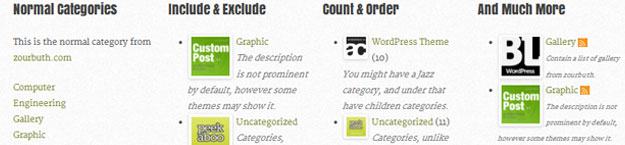
Advanced Categories WordPress Widget – MORE INFO

Advanced Categories Widget is an advance widget that gives you total control over the output of your categories. Support multiwidget, category image, easy to customize and full features. Displays a list of Categories as links. When a Category link is clicked, all the posts in that Category will display on a Category Page using the appropriate Category Template dictated by the Template Hierarchy rules.
Hello Tabs WordPress Widget – MORE INFO
“Hello tabs” is a wordpress plugin, which can be used for creating tabs element from any widgets you have! Plugin comes with 12 predefined styles and 24 animation effects! You can even create few tabs elements on a page!
WP Category Post List Widget – MORE INFO

This is one of my personal favorites and I use it on several sites to show various lists of posts. It has build in support for CSS templates and it makes it really powerful on websites where you use it in different spots and use cases.
Better Recent Posts Pro MORE INFO
Better Recent Posts Widget Pro provides a greatly enhanced recent posts widget. The default recent posts widget that comes with WordPress offers almost zero control over which posts are displayed, or how they are displayed.
Tag Master WordPress Plugin – MORE INFO

WordPress Categories and tags widget are very basic. People may not even notice those two widgets because of its familiar and dull nature. Tag Master WordPress plugin allows you to give a new look and feel for categories and tag widget.
Advanced Link Widget – MORE INFO
An advance widget that gives you great control over the output of your links.
Tabs Widget For WordPress – MORE INFO

This plugin creates a new WordPress widget to display a tabbed panel with different content types on your site. Tabs can rotate one after the other thus allowing for more exposure of the content: your posts are no longer hidden.
Advanced Post List – MORE INFO
Highly customizable plugin for designing a large variety of post lists to be shown using shortcodes e.g. in a widget. It will allow you to create lists with your own design for displaying Recent Posts, Popular Posts, Related Posts, Future Posts, etc. Including Custom Post Type & Taxonomy support.
Extended Tags WordPress Widget – MORE INFO

An advanced widget that gives you total control over the output of your tags. The Tags widget replaces the default WordPress Tag Cloud widget. This version gives total control over the output to the user by allowing the input of all the arguments typically seen in the wp_tag_cloud() function
User Profile and Author Information Widget
Ninety Ajax Login / Register Widget – MORE INFO / DEMO

Sidebar Login/Register plugin for WordPress does exactly what it says on the tin; Logins and Registrations with a touch of AJAX magic. Simple!

It also has a nice ‘logged in’ view, and a lost password form for those forgetful folk.

Its simple to get started – in most cases just activate the plugin, add the widget to your sidebar and go!
Authors Widget – MORE INFO

This widget show your site authors with details description and avatar. Widget can be used multiple of times even in one sidebar area.

Lars is passionate about web design, web development, SEO, social media and loves to look into new technologies, techniques, tools etc. and to write articles for tripwire magazine readers.



Great list! I’ve bookmarked it for future use.
Excellent information
I always learn something new from these tutorials.
Thanks for sharing Very useful info
Hi! Nice post! We create some useful plugins: social plugin like instagram, twitter or other plugins like google maps. If ypu want to take a look: http://codecanyon.net/user/MaGeekLab/portfolio
Thank you so much!
Thank you for sharing my Testimonials Widget plugin here. I’m really happy to see folks using it in the wild. Do let me know if you’ve got any feature requests.
My vote goes to Advanced Link Widget.
Very informative though many are paid ones.
But few I started to add in my WP site.
Great to hear you could use the article to find widget plugins. Yes some are premium to cover everyones needs
Another great list. I recommend the Sendola plugin for future updates. It lets users send your contact details to their phone for free. check it out.
http://wordpress.org/extend/plugins/sendola/
Thanks for sharing Matt
very helpful recommendations
I like Hello Tabs WordPress Widget, this is helpful for visitors to navigate our blog
Thanks for this list.
Will you please suggest me any plugin to customize blog menus?
Hi – thanks for this post – i found it very helpful, however, I couldn’t find what I was looking for – ie the name of a specific widget that I see commonly used on websites (eg. http://publichealth2point0.com/tag/research/ ) What is the widget where they seem to show how often a word is used in the content of one’s blog? – in writing this I reckon I found the answer (“tagcloud”) – sorry for being such a newbie to all this (I have just changed over from posterous to wordpress and am on the steep end of the learning curve!)… Read more »
Excellent review because it saves a great deal of time for me, and helps me sift through concepts that are too advanced for me right now.
Will any of these plugins allow me to place widget below the header of my web pages, even though my theme seems not to support a widget in that area? I am using using WordPress theme 2012, version 3.5.1 , and unless I am mistaken, it comes out of the box only with widgetized sidebars-Not widgetized footers, etc.
Thanks
Hey Daniel,
The Widgets on Pages plugin should be able to help you do this.
Ta,
Todd
Thanks for this great widget summary, the information helped a lot and saved much time when searching for the right plugins / widgets.
I never knew sp much more can be done with your wordpress blog. But the only shortcoming is that all these plugins are paid. Anyways thanks for sharing with us.
Lars you have done a very great job, i was very informative after reading the widget plugins you have listed. thanks for the great work.
Thanks Mohammed, appreciate your feedback
I will try a couple of these widgets. Thanks for the info!
Roberto
This list is awesome Lars! I came here for info on one plugin and now have heaps to look at. Thank you for saving me so much time!
Hi Susan, thank you for taking the time to comment on the article. We’re glad you found what you came searching for – hope to see you on tripwire magazine again.
Kind regards,
Sofie
Thanks Sophie…I did find what I was looking for…and with a nice welcome like that…it deserves a ‘+1’ and a ‘like’ 🙂
You’re welcome 🙂
keep it on.great ideas for widget.its very helpfull for web designers.Thanks………………..
Wonderful site. Lots of useful information here. I’m sending it to a few buddies ans additionally sharing in delicious. And naturally, thank you for your sweat!
Very useful and professional widgets. Thank you Lars.
hi, thanks for informing good plugin, can you help me for finding widget pluging that help us to select number of post from specific category ?
in advance I thank you
My Twitter Widget that is built in to WordPress Widgets doesn’t seem to activate my twitter feed, could anyone recommend a good Twitter Widget that I can download to replace it so I can show my Twitter feed on my home page?
Many thanks,
Michael
http://www.traffixtreme.eu if this helps
Awesome list – thanks!! Any idea which one is most user friendly (for a less-than-techy client) AND will work well with Thesis template in a 3-column format? “Custom Widget Areas” looks ideal, but I want to make sure it’s easy to dictate “left sidebar of homepage” and “right sidebar of homepage” and have them show up in the right place. I played with the demo, but it’s a 2 column format so it’s hard to test. Would love any insights you have!
all above plugins are very helpful. thank’s buddy for such as helpful information. and also really want to say you have awesome website. really thank’s again buddy
You’re welcome – glad you liked the post and the site all together!
Best regards,
Sofie
Hello, very nice list of widgets here 🙂
I have been searching for a sidebar contributors widget that rotates or slides the contributors instead of showing them in a long list, just wondering if anybody has ever come across something like this. Any help would be great! Thanks.
Very nice list of awesome widgets. Will help me a lot in my new site.
Thank you for this nice list. I was searching for a text block widget and found one listed here. Thanks again!!
i choose 3 of them to my website.
A very nice list. I personally use the tabs widget in my website, i also kind of like this one http://wordpress.org/extend/plugins/global-threat-activity-level-widget/ it displays a global virus level.
Hi Thomas
Thanks, it is a great tip.
The plugin is useful for computer repair shops, computer technicians to show their customers global computer virus activity.
Forgot to post link: Click here
AJAX Contact Form for WordPress lets you easily add contact/feedback form to your WordPress blog. It comes with the settings manager and can be directly accessed via WP admin panel.
I want to right sidebar widget for free to display images, thanks
Custom Post Widget and Testimonials Widgets are ones that look interesting. The testimonials one should work perfect for many of my clients. Thanks for sharing these.
Widgets on Pages is a free plugin which allows you to easily create sidebars and add widgets inline to posts/pages using shortcodes or simply to themes using template tags.
Thanks Todd, looks like a cool plugin
Thanks Lars. Great list.
FYI – Soon I’ll be releasing something similar to Custom Post Widget but with a slightly different approach that I believe will appeal to many WP dev’ers. The plugin’s site isn’t ready just yet (as of 20 April 2012) but it should be launching soon.
Lars, if you email me I’ll be happy to send you a beta zip. Your input would be much appreciated.
Widget Logic is free and also offers the use of WP’s Conditional Tags, or any general PHP code.
http://wordpress.org/extend/plugins/widget-logic/
Thanks Robbie
I generally like to use the widget logic plugin and find it relatively easy t0 train clients on how to use it. It is an excellent plugin.
That said ….
There are some clients who just “don’t do code”, so for $10, the widget ninja plugin might save some headaches.