
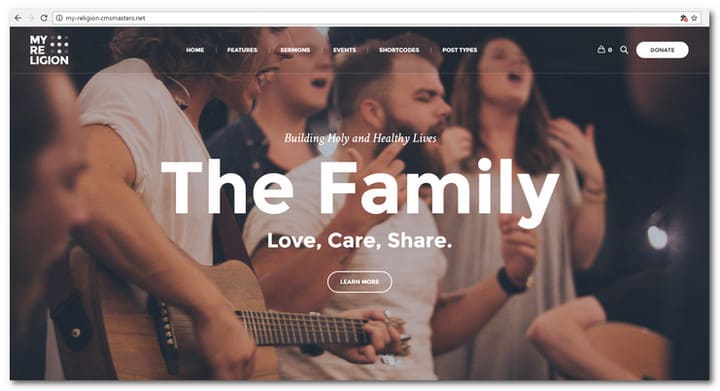
In this article, we showcase the best Church WordPress themes created or updated in 2017.
A church is an important institution of our society. Like most other modern organizations, churches need a strong platform to distribute their voice. Nothing does the job better than a website.
We see a lot of successful church website build on WordPress. WordPress is not hard to learn and master. If you want to build a website for your church you don’t have to be a professional web designer. You can install one of the feature rich church website templates. This will help you have your site up and running, sooner than later.
Creating an Online Presence with Church WordPress Themes
WordPress is a popular solution for operating religious and church websites. Getting a beautiful website up and running has never been easier.
 With WordPress, you will have a flexible and intuitive platform. A number of theme developers provide a wide spectrum of niche themes tailor made for charity and religious purposes. Such themes include useful features like prayer wall, sermon manager, WooCommerce support, social media integration and much more. You can also get integration with PayPal for easy collection of donations and offerings.
Most WordPress themes developed for churches are intuitive to work with and easy to customize. You can easily add sermons, image galleries, events, prayers and others. With a good church theme, your website will be a source of guidance and inspiration. It will not be a mere place for finding out Sunday services schedule but a place of insight, whether visitors are members of your church or not.
To give yourself a head start, we have selected the best options that are available for you. The themes are advanced in design and user friendly at the same time. You do not need a professional to install and customize it.
How To Get Started With Church WordPress Themes
Remember, before you can utilize any of them, you should have a WordPress website already set up. If you do not have one yet, you can install it yourself or make use of a WordPress setup service to guide you through the process. If you want to learn the basics about how to create a church website, then this video is recommended.
The Church WordPress themes we present below is created to provide particular functionalities. We have been careful to include only modern and fresh designs. The themes are integrated with every feature you need for running a modern day church online. You will find that these themes are also easy to customize with your own brand, colors, logo and other branding essentials. Have fun browsing through the list and keep in mind your particular needs.
Considering that most churches work on a limited budget, they often can’t spend a sizable amount of money to pay a professional web designer. For this reason, I am showcasing a collection of church website templates for WordPress which are affordable, efficient, appealing, and easy to update.
If I missed a theme for church websites worth showcasing in this category, or if you have any comment or suggestion as to how to improve this list, please feel free to write them below. We will have that covered in a future post or an update.
Disclosure: Please note that some of the links below are affiliate links and I will earn a commission if you purchase through those links (at no extra cost to you). I recommend that you do your own independent research before purchasing any product or service. This article is not a guideline, a recommendation or endorsement of specific products.


My Religion – Dedicated Church WordPress Theme
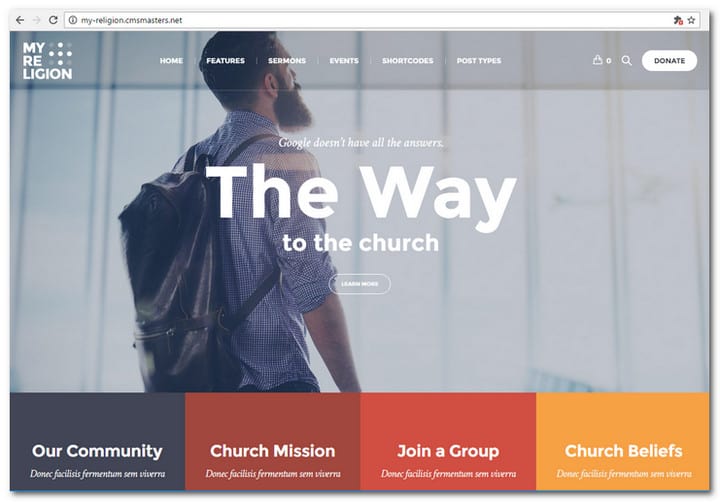
My Religion is a tailor made WordPress Theme crafted with religious organizations, traditional and modern churches in mind. With My Religion you will get all the features you need to run and administrate a popular church website. Among the best features are: Sermons Post Type, Donations and Events.
It is easy to share your best sermons on your church website and reach the hearts of your congregation for more interaction and engagement with the people. You really need this feature this feature for you church. On top of that you can easily collect donations on your church website to help the poor or for the church itself. Your events will also be easily featured on your website to make sure everyone know when to join. This is a must have so you can attract more people to the events you have.
MORE INFO / DOWNLOADGET HOSTING
ChurchWP – Church, Religion, Sermons & Donations WordPress Theme
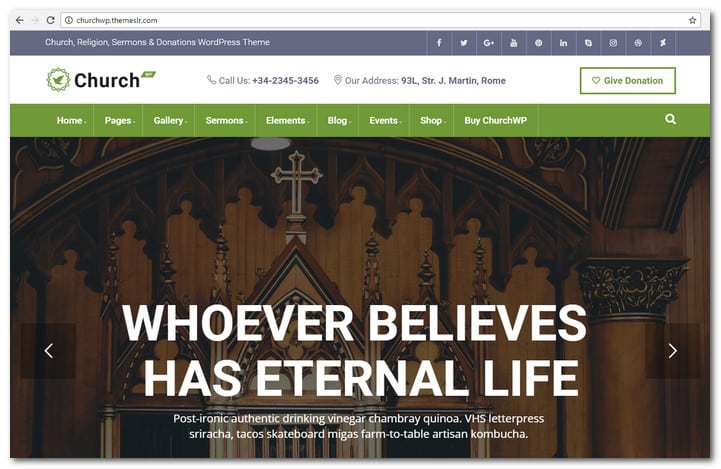
ChurchWP is a new WordPress theme created especially for churches. It has an amazing list of useful features to help you make your online presence successful. The themes comes with event features, donation plugin, image gallery and sliders, visual composer drag & drop, Woocommerce ready and testimonial blocks – just to mention some of the features.
Do you want to get up and running fast and easy? If so, you just have to upload the demo and the site will be ready with a lot of built-in church features and services.
MORE INFO / DOWNLOADGET HOSTING
Bethlehem Church WordPress Theme
MORE INFO / DOWNLOADGET HOSTING
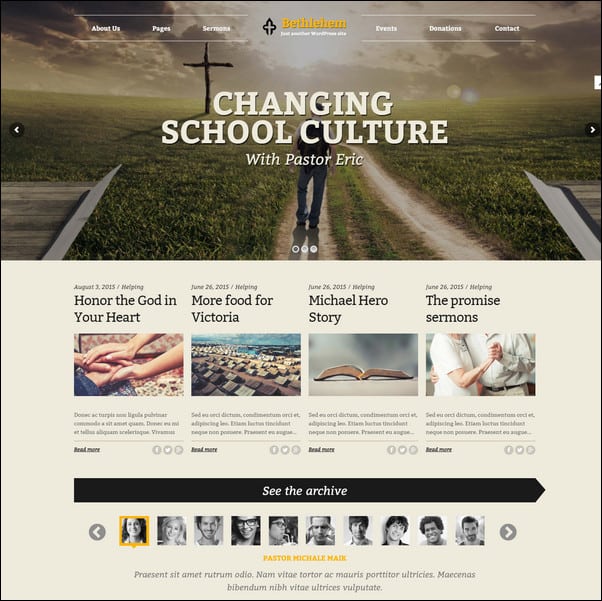
Your church theme should not only be powerful but intuitive as well. It should also be flexible, so that it can handle related issues in your agenda. Bethlehem Church WordPress theme can do just that. It created not just for churches but also for non profits, prayer groups, charities and mosques. You may even use it for corporate websites.
Bethlehem is created with Bourbon, Susy and Sass. It is based on the Underscores Framework. For optimum SEO performance a valid schema markup is implemented. The theme is fully localized to make it ready for translations. It follows the accessibility guidelines implemented by WordPress.org to allow online stores to cater to as much audience as possible.
Bethlehem Church theme comes with a robust options panel for quick customization. With this feature, you can customize your site to match your particular brand. The PSD files can be availed upon request.
Other useful features like 3 home pages, 8 footer styles and 3 footer styles come with the theme. You can click on the demo link above for a live experience of Bethlehem Church WordPress theme.
Risen Church WordPress Theme
MORE INFO / DOWNLOADGET HOSTING
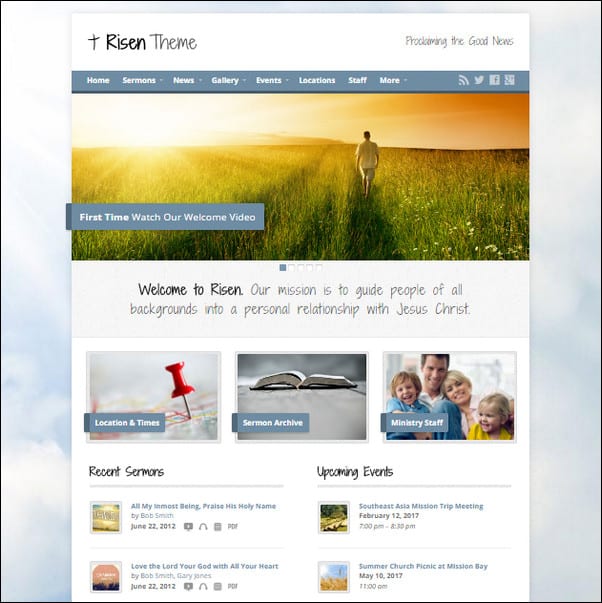
This church WordPress theme has a lot of features that are essential for a church site. It has a sermon archive, video and image gallery, responsive mobile friendly design, recurring church events, staff profiles, church news and multiple location support. The sermon archive included in Risen allows users to search for text, audio and video sermons. These sermons are categorized by tag, speaker, date and category. Sermon podcast is integrated with the theme.
The color, background and fonts of this theme can be changed easily. This was made possible through its robust customization options and retina ready design. Although created with church websites in mind, you can use the theme for non church websites too. If you want rich multimedia publishing ability for audios, images and videos, this theme is perfect. It is great for promoting events as well.
Risen comes with full documentation. Its features are explained thoroughly with the 50 pages of instruction that come with the theme. In addition, there is a video guide series and support provided with the theme. Risen Church WordPress theme adapts to mobile devices.
Rock Harbor Church WordPress Theme
MORE INFO / DOWNLOADGET HOSTING
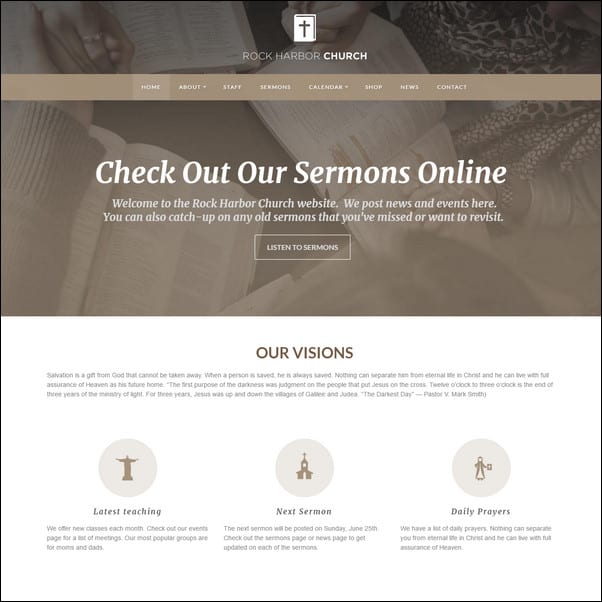
Rock Harbor Church WordPress theme is all about showing off. Fully featured and easy to customize, Rock Harbor comes with unlimited color schemes, slider revolution and detailed help file.
Rock Harbor has an extra header option. It has a demo content that comes in XML import file for easy setup. Placeholder images are used instead of stock photography. With this theme, you can add events, sermons and staff more easily through custom post types. You can quick sell your product through the eCommerce feature integrated with the theme.
A front end color picker can be used to customize unlimited color schemes. To make it adapt to high resolution, Rock Harbor is built with retina support. Thus, your website will not have a problem when it is viewed from iPads, iPhones and Macbook Pro retina display.
Rock Harbor comes with video documentation that includes a well written help file. The theme is also translation ready. This will allow you to translate to a language of your choice easily. Photoshop files are included. In addition, Rock Harbor also has responsive layout to make it adapt to all mobile devices. Make your website robust, fast and future perfect through Rock Harbor Church WordPress theme.
Spiritual Church WordPress Theme
MORE INFO / DOWNLOADGET HOSTING
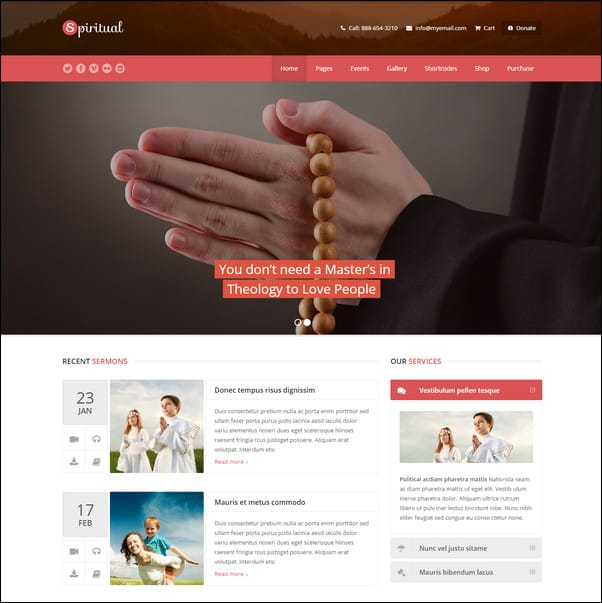
If you want a church theme that comes with unlimited skins, Spiritual is the answer. Not only will your website look great, it will also be user friendly, SEO optimized and friendly to mobiles. The functionalities included with the theme are all robust. With its powerful CMS functionality and tons of great features, your church website will go a long, long way. A fully responsive theme, Spiritual comes with theme customizer, unlimited portfolios and sidebars, child theme support and sticky top navigation. It includes more than 600 Google Fonts, custom widgets, upcoming events and custom shortcodes that include a shortcodes generator.
Included with the theme is a premium Revolution Slider that is $18 dollars in value. There are more than 470 Font Awesome Icons that are retina ready as well. The categories that you can find with this theme include a post count.
Other features that you will find useful in Spiritual Church WordPress theme are recent posts, advertise, special offer, recent posts slider, testimonials, contact info list, recent work, video, contact info map, portfolio, cause, sermons, 4 custom menu locations, custom page templates, drag and drop menu manager, blog page, testimonials, full width, 404 error page and archives.
Grace Church & Religion WordPress Theme
MORE INFO / DOWNLOADGET HOSTING
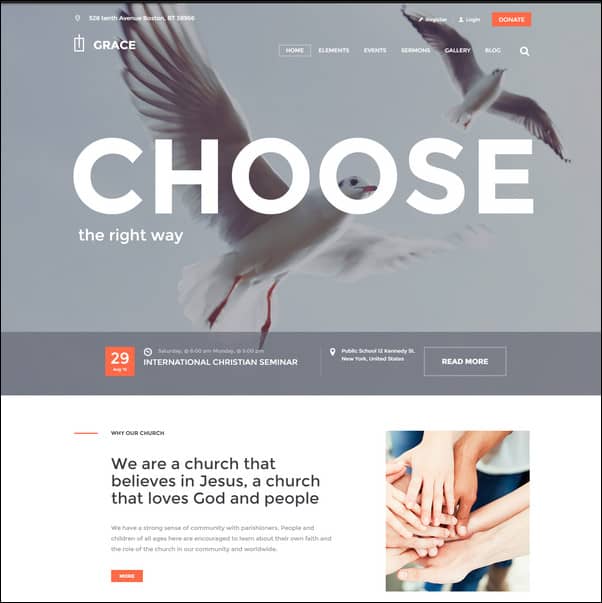
This theme has been created especially for prayer groups, charities, Christian, nonprofits and of course, churches. Built with an intuitive and modern design, Grace has flexible customization abilities. It is perfect for giving notice about upcoming church events. The reason is that Grace was created with emphasis on the Events Calendar.
Grace Church and Religion WordPress theme has a modern design. You will find it easy to install, operate and update. Aside from being modern, Grace is also fully customizable and flexible. Coded with CSS 3 and valid HTML 5, Grace has been fully tested and approved for WordPress 4.0+.
Grace is compatible with Safari, Chrome, IE9+ and FireFox. It comes with a one click demo installation as well as wide and boxed layouts. Other features of the theme include unique header styles, awesome hover effects, slider options, powerful framework, plugin compatibility, custom widgets and multifunctional user panel.The retina option can be enabled or disabled. For a full list of great features, visit the demo page through the product link I have included above.
Candidate Political/Nonprofit/Church WordPress Theme
MORE INFO / DOWNLOADGET HOSTING
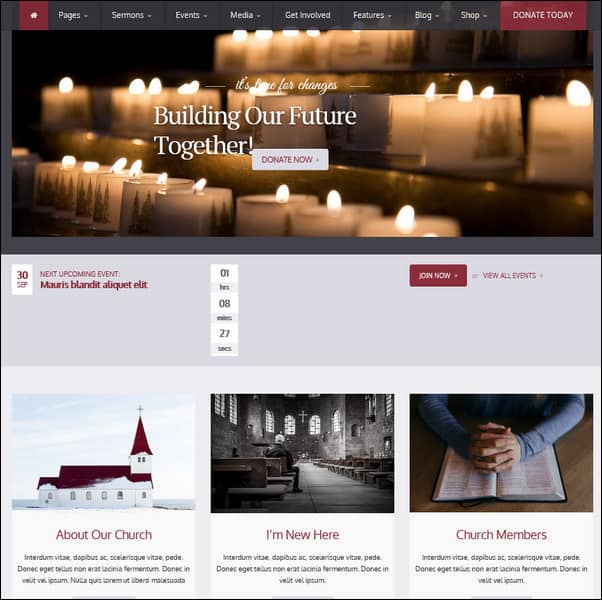
This theme is both professional and unique. It is best for all nonprofit organizations that include charities, political campaigns and of course, churches. All the essential tools that you may need are included such as visual composer form builder, visual content composer, robust settings panel and revolution slider.
Candidate now comes with church and charity skins. A theme that was created for a variety of purpose, it is retina ready and responsive. With the integrated visual composer, you get a $28 dollar saving. The Revolution Slider costs $14 while the Visual Composer is tagged at $28 on the market.
Other features of this theme are event calendar, WooCommerce, wide and boxed versions, WPML support, 3 homepage variations, 3 level dropdown menu, sticky header menu, unlimited sidebars, shortcodes and a couple of blog styles. It also has columns and typography pages, Universe Funder, dropdown shopping cart, Lightbox, Cloud Zoom, 404 page, contact us and more. For a complete list of features, you may go to the demo page. Just click on the product link we have included above.
The Church Responsive WordPress Theme
MORE INFO / DOWNLOADGET HOSTING
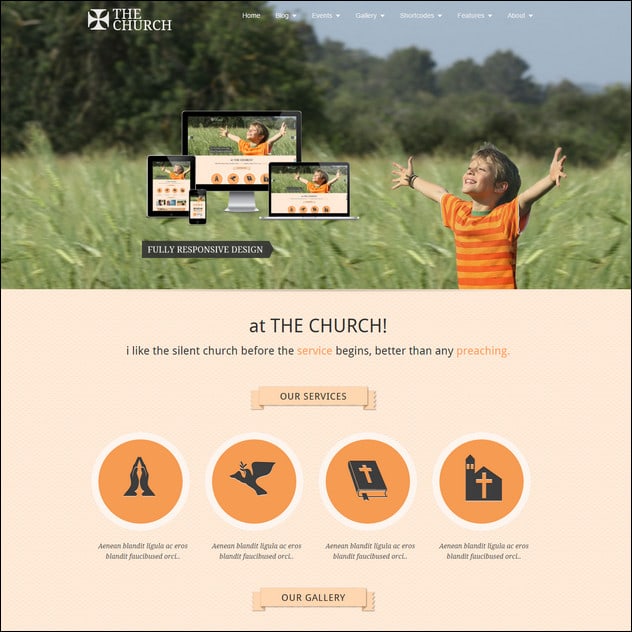
This design is both a WordPress theme and a Facebook page template. When you use this theme, you will find that it is a top notch web masterpiece. With charities and religious organizations as its main purpose, it can also be used for other kinds of online businesses. Although it has tons of features, you may find the donation meter, prayer wall and events calendar and management to be the most useful.
The main features of The Church include 5 color skins, layer slider, 3 jQuery sliders, event management, timeline, video and audio sermons, mega menu, prayer wall, SEO rich and multiple blog styles. It has right to left support for languages such as Hebrew and Arabic. The package includes multiple gallery layouts and blog styles. In addition, it also has Google Fonts, PSD files, custom font uploader, background uploader, 22+ background designs, drag and drop slider manager, social sharing, drag and drop page builder, thumbnail options and responsive layout. The Church is coded with CSS 3 and HTML 5. Visit the demo page for more details.
Adore Church Responsive WordPress Theme
MORE INFO / DOWNLOADGET HOSTING
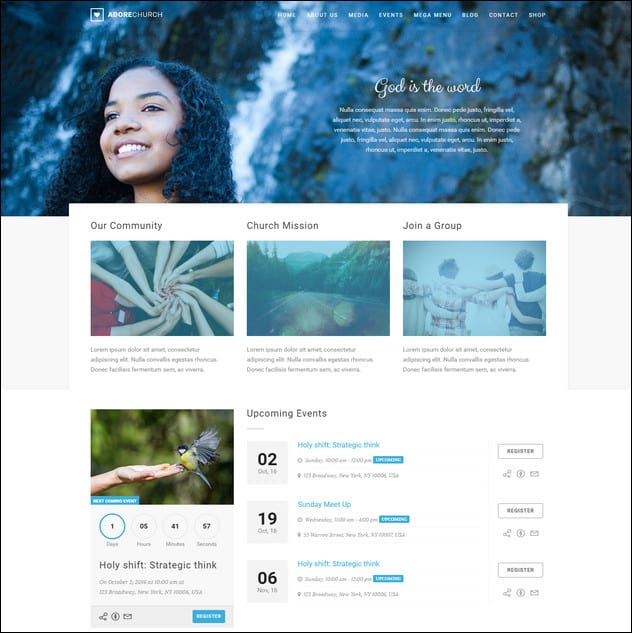
With this theme, you will have a robust and fully functional companion online. Adore Church is responsive in design and particularly developed for charity, nonprofit, religious and church websites. However, it will fit in with corporate and portfolio websites just as well. Adore Church is fully responsive and retina ready. Based on Bootstrap 3.2, it has a full calendar for your events plus several blog and events templates. It has both video and audio support for your sermons. An events listing page is bundled with the theme as well as 7 kinds of gallery pages. Upcoming events are monitored through the countdown timer.
The color options are unlimited while color schemes come in 12 prebuilt choices. Other salient features include a working contact form, wide and boxed layout, Isotope galleries, 150 line icons webfont, Font Awesome, multiple slider effects, SEO optimization, support for Google Fonts, Google maps, browser compatibility, swipe and touch slider support, responsive sorting gallery, latest tweets widget and full documentation.
A dedicated support forum is ready for every verified theme buyer. When registering, remember to have your purchase code ready.
Praise Church Responsive WordPress Theme
MORE INFO / DOWNLOADGET HOSTING
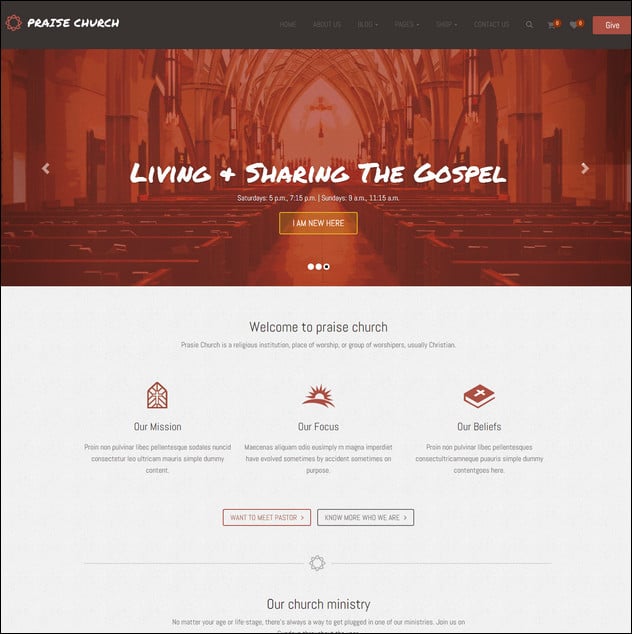
Get your church website ready for a wider range of audience through Praise Church Responsive WordPress theme. Because it is retina ready and responsive, your website will look great on all screen sizes. Your visitors will be able to focus more on the content because of its clean and minimalistic design.
Praise Church comes with plenty of useful features too. It is compatible with WordPress version 4.4.2. It has theme options and customization and created with valid CSS 3 and HTML 5 codes. On the theme options, you will find an import/export setting.
The theme has been incorporated with a single click demo importer. This will allow you to build your online site quickly and easily. Just click once to import, posts, pages, widgets, posts and theme options. Created using the most modern Bootstrap 3, it includes more than 600 Google Fonts as well.
Other features of this theme include a donation button and WooCommerce integration. It has contact form 7, custom post formats, unlimited colors, child theme support, FontAwesome, shortcodes, column, tabs, accordions, icon boxes, alert boxes, list style, divider, social icon, buttons, LightBox popup, audio popup, video popup, Google map popup and many more.
Church Suite Responsive WordPress Theme
MORE INFO / DOWNLOADGET HOSTING
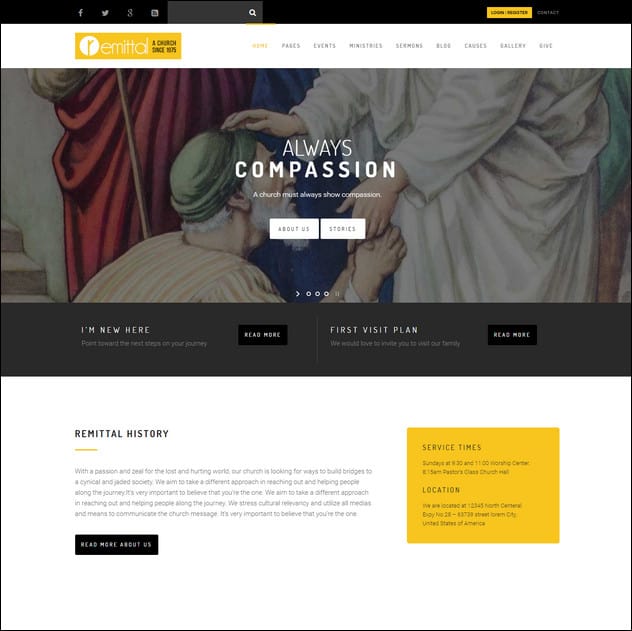
Church Suite Responsive WordPress theme will allow users to focus more on content because of its clean and minimal design. The coding is light allowing it to load quickly. The pleasing, clean look is perfect if you are building a church website. Retina ready and fully responsive, Church Suite comes with a visual composer. With this feature, you will be able to make complex post and page layouts through a simple drag and drop interface. The coding can be changed and understood easily. Thus, you can personalize your church website in no time at all.
Church Suite has several custom post formats. It can support gallery, standard, quote, audio, video and link formats. It is fully translation ready for all languages that use .mo and .po files. Optimized for SEO, you can create a child theme with Church Suite, starting from the dummy child theme included in the package. It also has tabbed widgets, unlimited portfolio pages and advanced blog options. See how you can purchase this theme through the product link I have included above.
Multi-Purpose WP-Theme – NativeChurch
MORE INFO / DOWNLOADGET HOSTING
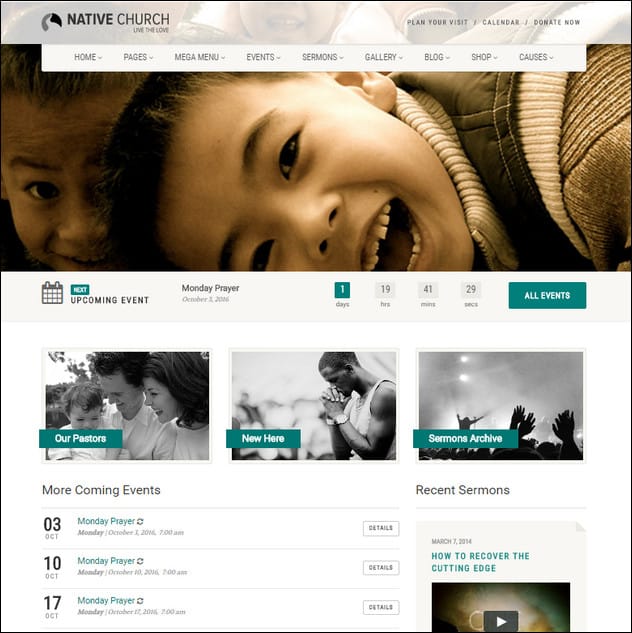
NativeChurch is a perfect Church theme for Wordpress and it is also suited for website related to Charity, Non-Profit and Religious organizations. Theme theme is fully responsive, retina ready and mobile friendly – based on Twitter Bootstrap 3.0 framework.
ChurcHope – Responsive WordPress Theme
MORE INFO / DOWNLOADGET HOSTING
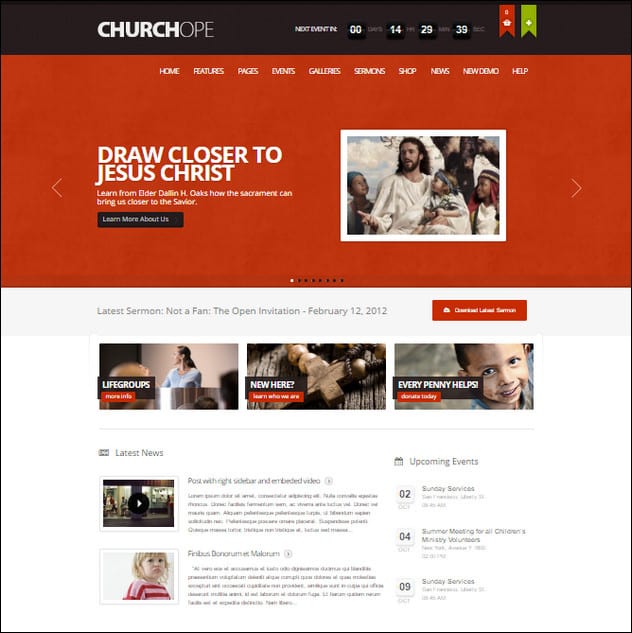
ChurcHope is a powerful responsive WordPress Theme. It’s a good choice for Churches and other non-profit organizations, but can also be great for business websites. It has a lot of up-to-date features. It is fully customizable, just choose your colors, background patterns, change fonts, change layouts for different pages.
Responsive WP-Theme – Church And Event
MORE INFO / DOWNLOADGET HOSTING
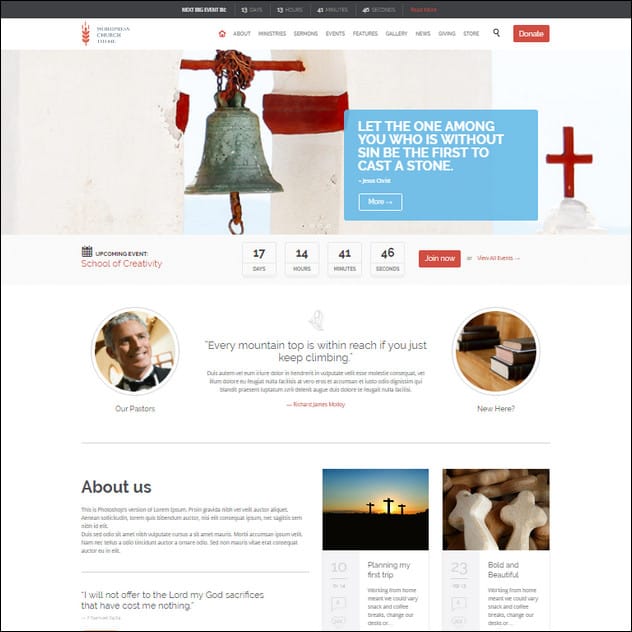
Church and Event is an easy to use theme with a lot of features. The theme is build for churches and events and it is a good choice. It supports The Event Calendar Pro, Filter Bar, WooTickets and Community Events add-ons.
Belief – Church WordPress Theme

MORE INFO / DOWNLOADGET HOSTING
Belief is a responsive theme. It uses a framework that permits the site to be accessed on all mobile devices, including iPad and Android powered tablets.
Real Church – Responsive Retina Ready Theme
MORE INFO / DOWNLOADGET HOSTING
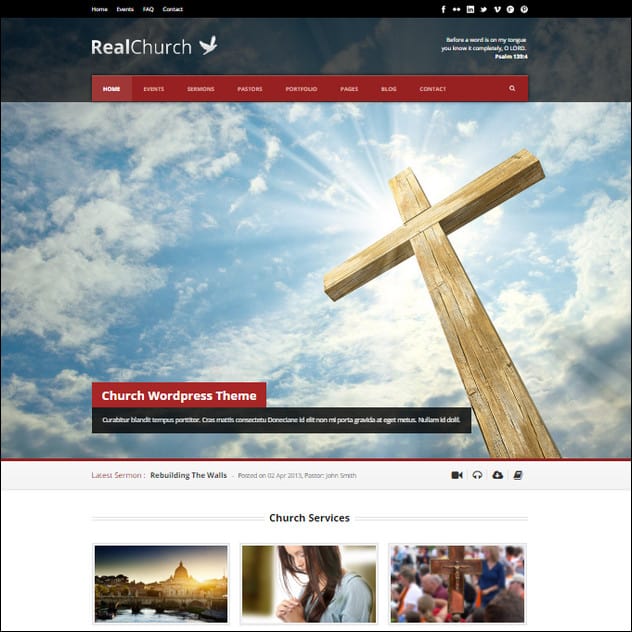
Real Church is the most powerful church WordPress theme. It has full functional that church theme must have. Sermon post type which supports video, audio, attachment and also PDF. Event post type which you can put the start date/time, end date/time and you can also put google map in the post. Pastor post type which allow you to feature church’s pastors. Also you still have traditional blog post and portfolio post to feature your works/product so you can also use the theme as other purpose too.
SimplePress Simple WordPress Theme
MORE INFO / DOWNLOADGET HOSTING
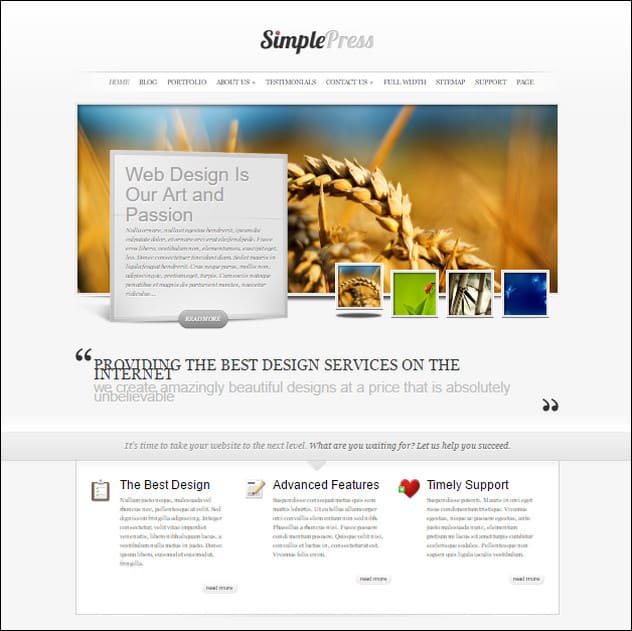
SimplePress from ELegant Themes is a slick minimalistic website template popular among church websites because of its clean and professional look. It features a homepage with a beautiful javascript slider and clear hierarchy, fully functional Blog and Gallery sections and ePanel theme options among others. Elegant Theme offers a membership package with 80+ premium WordPress Themes for only $39. Check it out!
Incarnation – Church and Community Theme
MORE INFO / DOWNLOADGET HOSTING
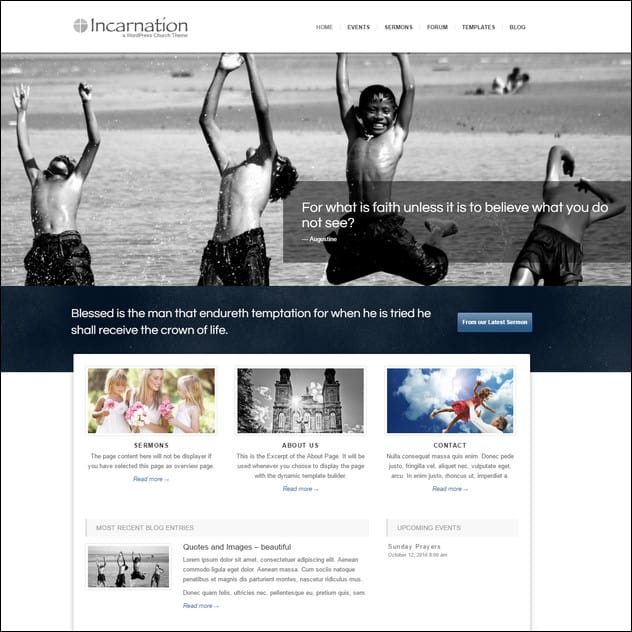
Incarnation is a responsive WordPress Church Theme (try resizing your browser), suited for any kind of Church Website that wants to provide a community site to its visitors. It comes with support for audio and video sermons, a fully fledged event calendar, a community forum and many other options.
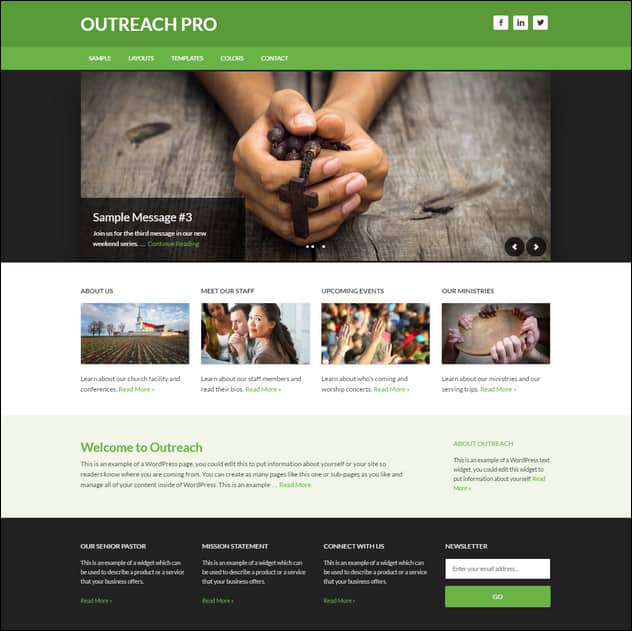
Outreach Theme For Churches
MORE INFO / DOWNLOADGET HOSTING
Outreach is a beautiful church website template with fixed width, 6 layout options, featured images, threaded comments and theme options.
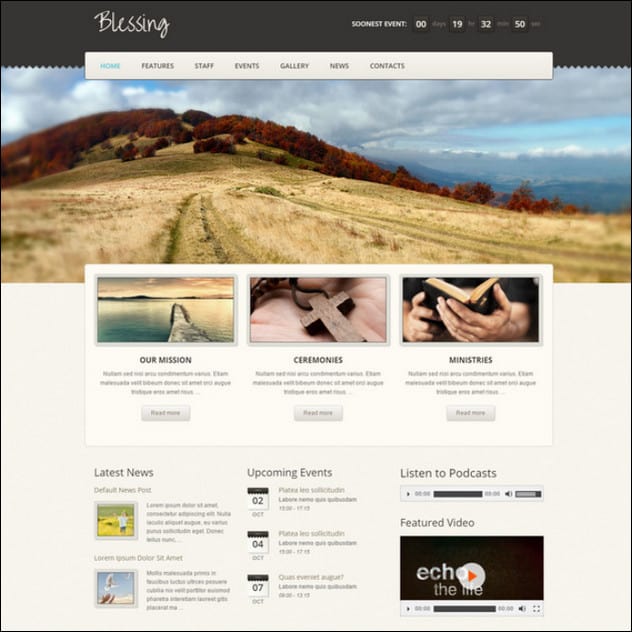
Blessing Premium Responsive WordPress Theme
MORE INFO / DOWNLOADGET HOSTING
Blessing Responsive WP Theme is the high quality web-masterpiece. The main destination of this theme is to serve religion and charity organizations, churches, parishes, etc. It also fits in many business branches. The main feature, what is extremely important and super useful, lies in including of two applications here – Events Calendar and Mail Subscriber. We offer you the great combination of functionality, good-looking, well-structure and usefulness.
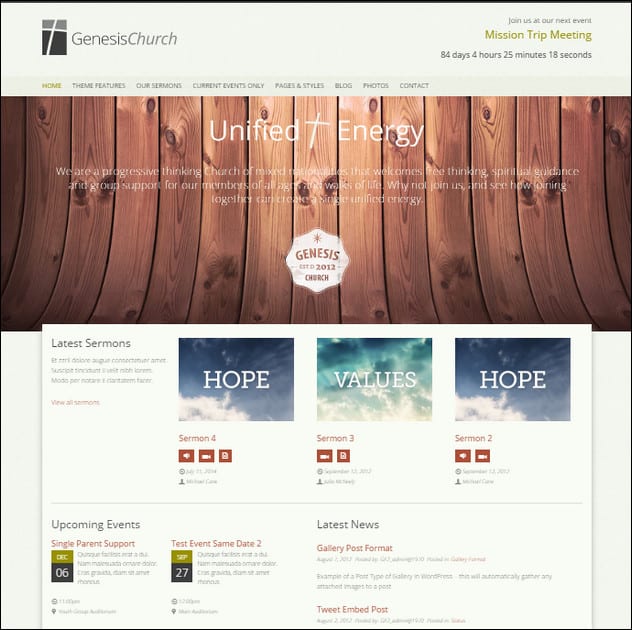
Genesis Church – Premium Responsive WordPress Theme
MORE INFO / DOWNLOADGET HOSTING
Genesis Church is a responsive WordPress template designed with religious organizations in mind. It is fully equipped for the purpose and is ideal for those who are looking for a solid, customizable and very extensive theme. It is a very customizable theme packed with features. It’s also created with SEO best practices and all the latest features of WordPress giving you ability to reach-out to your community very simple and effective.

Create by Capterra
Please share your opinion
We hope that you will find the perfect Church WordPress theme for your website through this post. We would love to hear about your research. Please place your comments below and contact us for additional resources on how you can purchase a great Church WordPress theme. Also, please share this article with your peers.

Sonny M. Day is a passionate SEO and web design enthusiast who loves photography, mountain climbing, snorkeling and dirt bike riding.



On a personal front, I liked Multi-Purpose WP-Theme – NativeChurch. WordPress is simply great. I design themes using TemplateToaster which works with ease on all prime CMSs delivering results in fewer hours. Got familiar with some new themes which I’m enthralled to design. Thanks for the post.
Thanks for listing my Risen theme up there at the top.
I’ve released three newer church WordPress themes at http://churchthemes.com. Would you please add them to your list?
Thanks for sharing these lovable themes.
Hey,
Thanks for including our WordPress theme The Cause to your list, much appreciated! 🙂 Just to let you know we have also just recently made a new, responsive theme specifically catered to churches and religious organizations called Grace. You can check it out here:
http://themeforest.net/item/grace-a-responsive-church-wordpress-theme/4819055
It has an abundance of options, plus a couple of commercial plugins included with the theme.
If you like it, please consider adding it to your list. 🙂
Thanks again.
Nick
Our church came from an expensive CMS system and now uses WordPress. Being able to use a theme made it really easy to get started! A quick tip for anyone looking for a WordPress plugin calendar, we use Connect Daily (MH Software). It’s been great. It was easy to put into our WordPress site and it’s been a terrific product to use. I’d encourage anyone to take a look: http://www.mhsoftware.com/WordPressCalendar.html
suprb
Hey my friends I tell you some tips. A simple website design shouldn’t be a daunting all-or-nothing ordeal – you can simplify your design by taking small steps. Simple tasks like putting the focus only on the essential elements of your website, getting rid of the unnecessary, reducing the number of pages your site has, getting more content above the fold, and limiting the number of colors you use. You can always fine-tune and improve your simple design, but the important thing here is to get started.
this is the collection what I have been seeking, I have to install it in my nonprofit website, but it’s really confusing to find one good theme, I prefer ecclessia, i liked it, thanks for share theme info.
[…] Christian Headlines Churches are the institutions of our society whose need to disseminate their message and information is extremely high. As most other modern organization, churches need a medium to distribute their voice online and nothing does the job better than decent looking Church Website Templates … […]
[…] Google Blogs Source- Church Web Design Considering that most churches work on a limited budget, they often can't spend a sizeable amount of money to pay a professional web designer. For this reason, I am showcasing a collection of church website templates for … […]
Thanks Sonny for liking our templates. You can contact me any time if you need any type of ready to use website design.
Thank you, Andy. I appreciate your sharing it with your readers.
Hi Sonny,
This is the most complete list I have seen in a while. Nice and fresh too.
If you plan on updating your list please consider my new WordPress theme for churches. It’s responsive and has a sermon archive (audio, video, text, pdf), church calendar, photo gallery, staff profiles, multiple locations, news and many appearance customization options for colors, fonts and background.
http://themeforest.net/item/risen-church-wordpress-theme-responsive/2632774
Hi Steven
Thanks for letting me know – I just added the theme.
Kind regards
Andy
Hey Andy, thanks again for adding Risen to the top of the list.
We just launched http://churchthemes.com and would love to see the new Resurrect church theme on this list as well. Risen is the highest rated church theme on ThemeForest and Resurrect is built on what we’ve learned from selling, supporting and maintaining it over the last year.
I’d like to recommend my fairly new site: http://www.wpforchurch.com We’ve got two themes with more on the way. One price gets everything – themes and church specific plugins. There’s also a generous affiliate program!
Thanks,
Jack
I found the U-Design template very helpful in developing our web site. There were many custom features and the design is very easy to change.
Hi Nicholas
That’s great. I also find this theme very useful 😉
Kind regards
Andy
Also check out http://wordpresschurch.org/ and the gallery of churches using WordPress.
Great Site! Nice to see it all available in one; keep it u
Wow, alot of great themes here! How did you compile this listing?
This post should be updated there are a ton of better looking Church WordPress Themes, Check out > http://www.churchthemer.com for example 😉
Hi Adam
Thanks for being honest – I can see you suggest your own themes though – but I will look into your request 😉
Andy, We just release another church WordPress theme over on http://www.churchthemer.com it would be great if you could update this list with our themes and also sign up as an affiliate of our so you can earn affiliate income 😉
Checkout http://www.churchthemer.com/themes/malachi/ its the first dark church theme i’ve seen that supports video and images in the slider.
Hi Adam
Thanks for the tip. I will look into you request a.s.a.p.
Kind regards.
Andy
We’d love to get on this list too 🙂
http://churchthemes.net
//Frankie
Nice collection, thanks for sharing!
Simple Press is a product of elegantthemes.com. Our church almost went with that theme, however opted for another product they offered called Deepfocus. It’s very similar to Simple Press, however we liked the slider better as it gave us a more prominent image in the slider and more options for us as well. Check it out – http://www.calvarybaptistpa.org
Hi Thanks for sharing. You’ve done a great job 😉
Jonathan, great work on that site! Love the big slider.
//Frankie
I created the website for http://www.stmagnus.org.uk using Drupal, modifying the theme from scratch. There are some fantastic Drupal themes out there, not necessarily for churches specifically, but a knowledgeable webmaster could tweak any of them.
My own personal spin on the theme was the code that determines where we are in the Episcopal year and alters the colour scheme appropriately.
Thanks for sharing John. I’ve checked St. Magnus’ website and it’s pretty good. Drupal is really one of the good blogging platforms out there.
In addition to the above comment I would like to highlight that 24. Church website templates – Boldy WordPress Theme (Free)
Is now also available for Drupal at: http://drupal.org/project/boldy
With some basic instructions on how to set up the demo site using drupal and its contributed modules.
You’re right there John.I’ve checked St. Magnus’ site and found them to be good. Drupal is really one of the good blogging platforms.Thanks for sharing!
Nice collection! Thanks for share…
You’re welcome Endyst!
These guys always produce the creativity, not the typical religious themes, Personally i like Faith Community church website. some of other good religious designs can be seen from http://www.templatesrule.com/web-templates/template-category-religion.html
Yeah.Thanks for the link on templatesrule here.I’ve checked it out and they’re impressive. Your themes are both very beautiful and affordable. I’ll see if I can make a rundown on some of your themes.Keep it up!
Thanks Sonny for liking our templates. You can contact me any time if you need any type of ready to use website design. just drop me an email at [email protected]
[…] 23 Best Church Website Templates for Religious Websites – tripwire … […]
[…] Excerpt from: 23 Best Church Website Templates for Religious and Non-Profit … […]
[…] any church typically have their possess needs for their website, a tradition madeArticle source: http://www.tripwiremagazine.com/2011/04/23-best-church-website-templates-for-religious-and-non-profi…Share and […]